
Driver profile
A page of your own, with photo, sims and history.
Create a public profile with your photo, country, the sims you play and your favorite categories. It is your identity within the community — easy to share with leagues and friends.
Discover, in one place, what the platform does for drivers, leagues and channels and why it is worth being here.
Your profile, your entries and every sim racing event in one place.

Racing Schedule brings together the sim racing calendar and connects you to the leagues and channels that matter. Build your profile, enter races and keep track of everything without getting lost in chats and spreadsheets.
A page of your own, with photo, sims and history.
Create a public profile with your photo, country, the sims you play and your favorite categories. It is your identity within the community — easy to share with leagues and friends.

Enter in a few clicks and track your status.
Found a race? Enter directly through the platform. You can see whether your entry was approved and get the round details without relying on lost messages.

Save leagues, channels and events so you never miss out.
Favorite the leagues, channels and events you follow. They stay within reach and you keep up with what really matters to you.
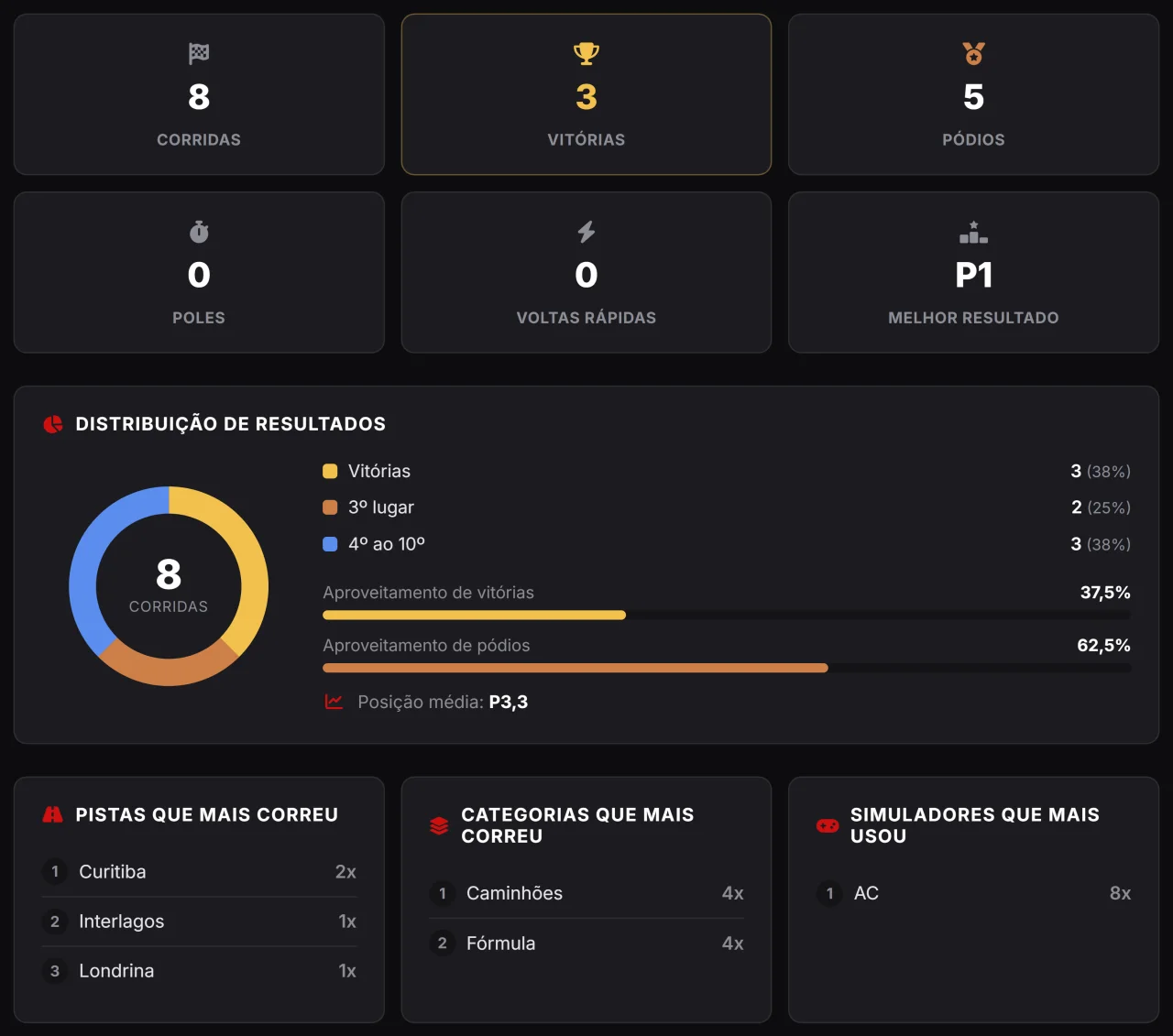
Every driver gets a racing résumé that fills itself in — for free.
As soon as you have published results, your profile gains a Stats tab: races, wins, podiums, poles and fastest laps, plus a chart with the breakdown of your results and the tracks, categories and simulators you have raced the most. It is all worked out on its own from the rounds — you have nothing to fill in, and it is free.
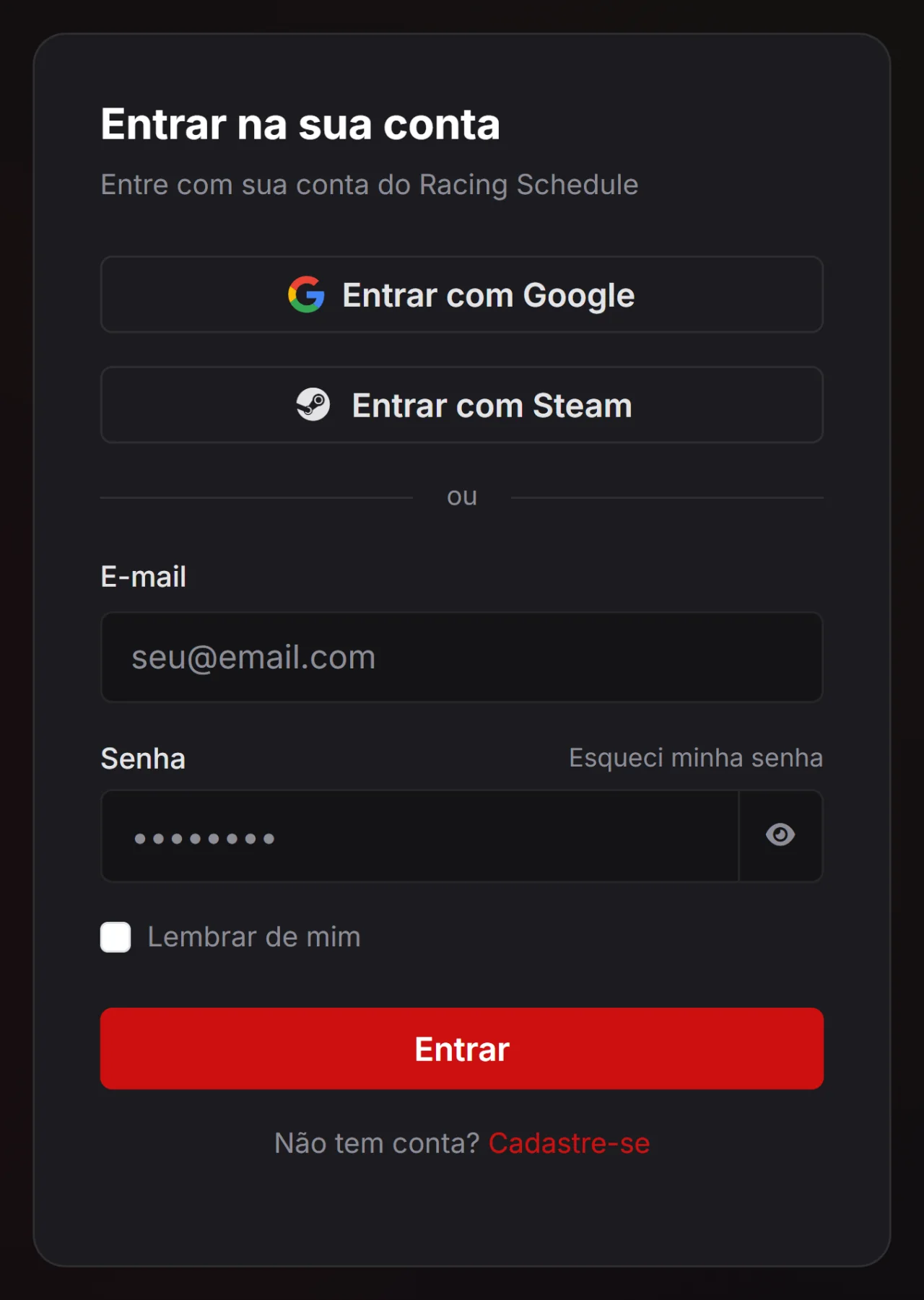
An account in two clicks — and connecting Steam makes your results match the sim on their own.
You can sign in with Google, with Steam or with e-mail and password, whichever you prefer. Connecting Steam is more than convenience: it is your verified SteamID, and that is what lets a league recognise you automatically in results imported from the sim and in live timing, even if your in-game name is something else. Already have an account? You can connect Steam later, in the Connections tab of your profile.
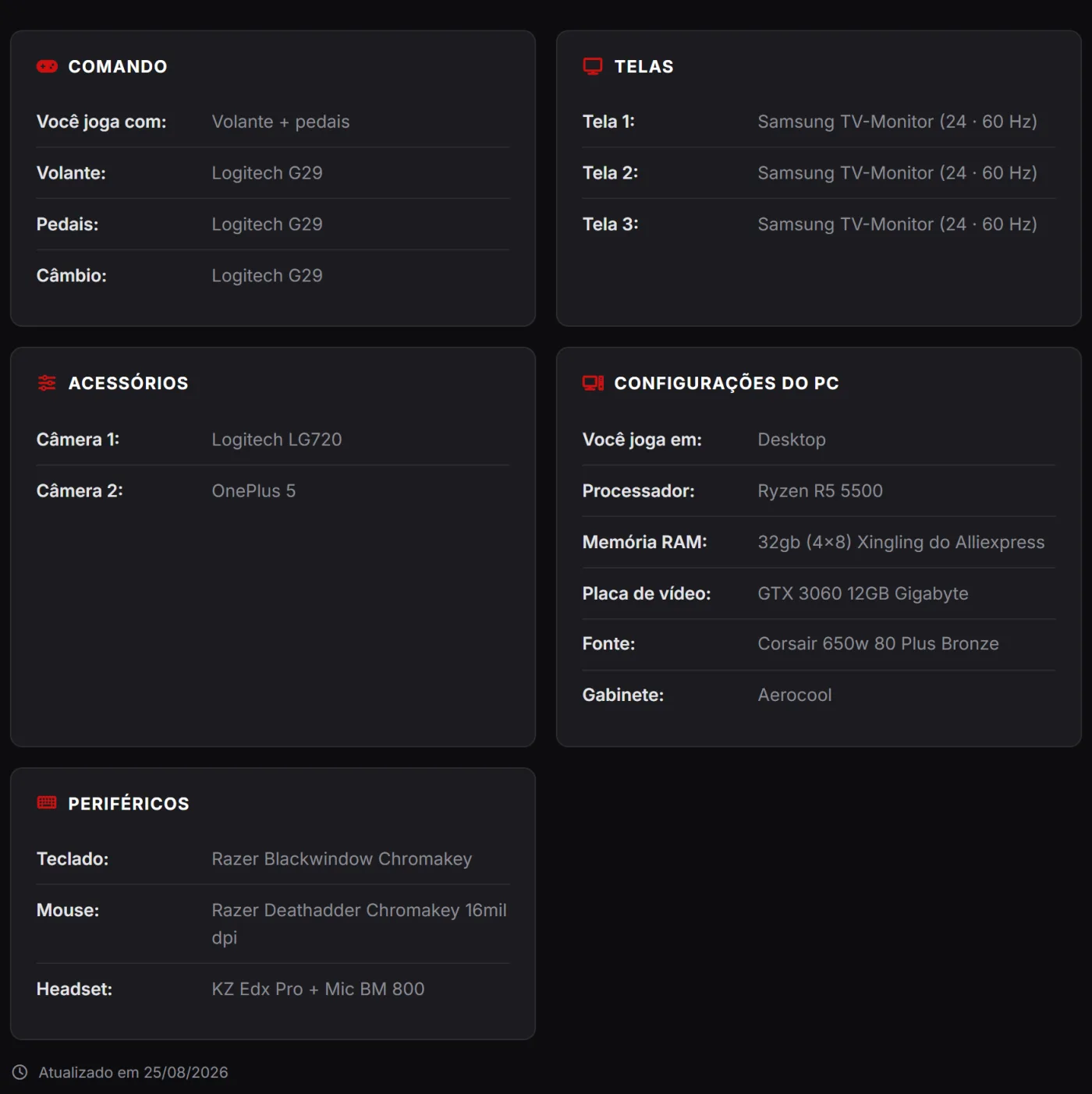
Wheel, pedals, shifter, screens, button box, cameras and PC — filled in once and shown on a tab of your profile, with photos.
The question that keeps coming up in every sim racing group is "what wheel is that?". In My setup you answer it once: pick whether you drive with keyboard and mouse, a gamepad or a wheel + pedals — and the screen opens only the fields for that, including shifter and handbrake when you have them. Then come the screens (brand, model, size and refresh rate for each, with a button that copies the first one to the rest when they match), the button boxes, the cameras and the PC specs, from motherboard to headset. You can also upload up to 5 photos of your rig.
All of it becomes the My Setup tab on your public profile: a spec sheet organised in blocks, with the photos on top. A field you left blank simply does not show up — the sheet never fills with dashes.
Subscribe and take your profile to the next level: recognition, reminders and a professional showcase.

The Driver Subscription brings together the features that reward those who take sim racing seriously: badges that tell your story, reminders so you never miss a start, Google Calendar sync and a richer profile — with a schedule, a card and your partners. Racing stays free; Premium is for those who want to stand out.

Automatic recognition of your journey, shown on your profile.
Every participation and milestone becomes a badge on your driver profile. It is your résumé within the community — leagues and other drivers see your experience at a glance.

The bell flags what matters and reminds you before each race.
Entry approvals, new achievements and platform notices arrive in the bell, always within reach. And before each race you are entered in, a reminder makes sure you don't miss the start.

Your races become automatic events in your Google Calendar.
Connect your Google account and the races you enter show up on their own in your Google Calendar, with time and details. Sync is kept automatically — cancel an entry and the event disappears.

A visual month calendar, right on your profile.
See all your commitments in a monthly calendar inside the platform. Each race appears on the right day and links straight to the event page — your season organized in one place.

A ready-made graphic of your profile to post on social media.
Generate a visual card of your driver profile — with photo, number and details — ready to share on social media and promote your presence on the grid.

Give visibility to those who support your journey.
Showcase your sponsors and partners on your profile, with logo and link. A professional showcase that values those who invest in you and strengthens your partnerships.
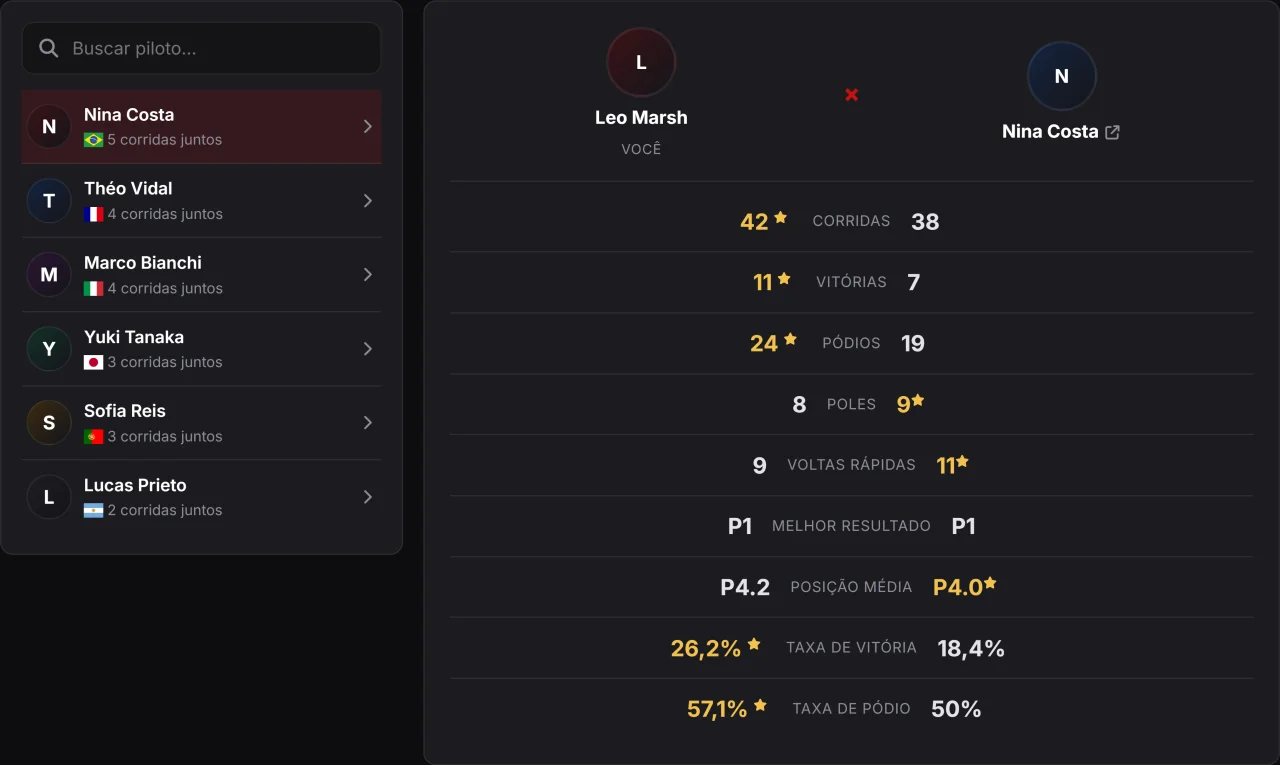
Compare your stats side by side with anyone you have raced against.
As a subscribing driver, you compare your stats side by side with anyone you have shared the track with. The platform highlights who comes out ahead on each metric — wins, podiums, poles, average finish and success rate — so you can measure your progress against real rivals. It is one of the perks of the driver subscription.
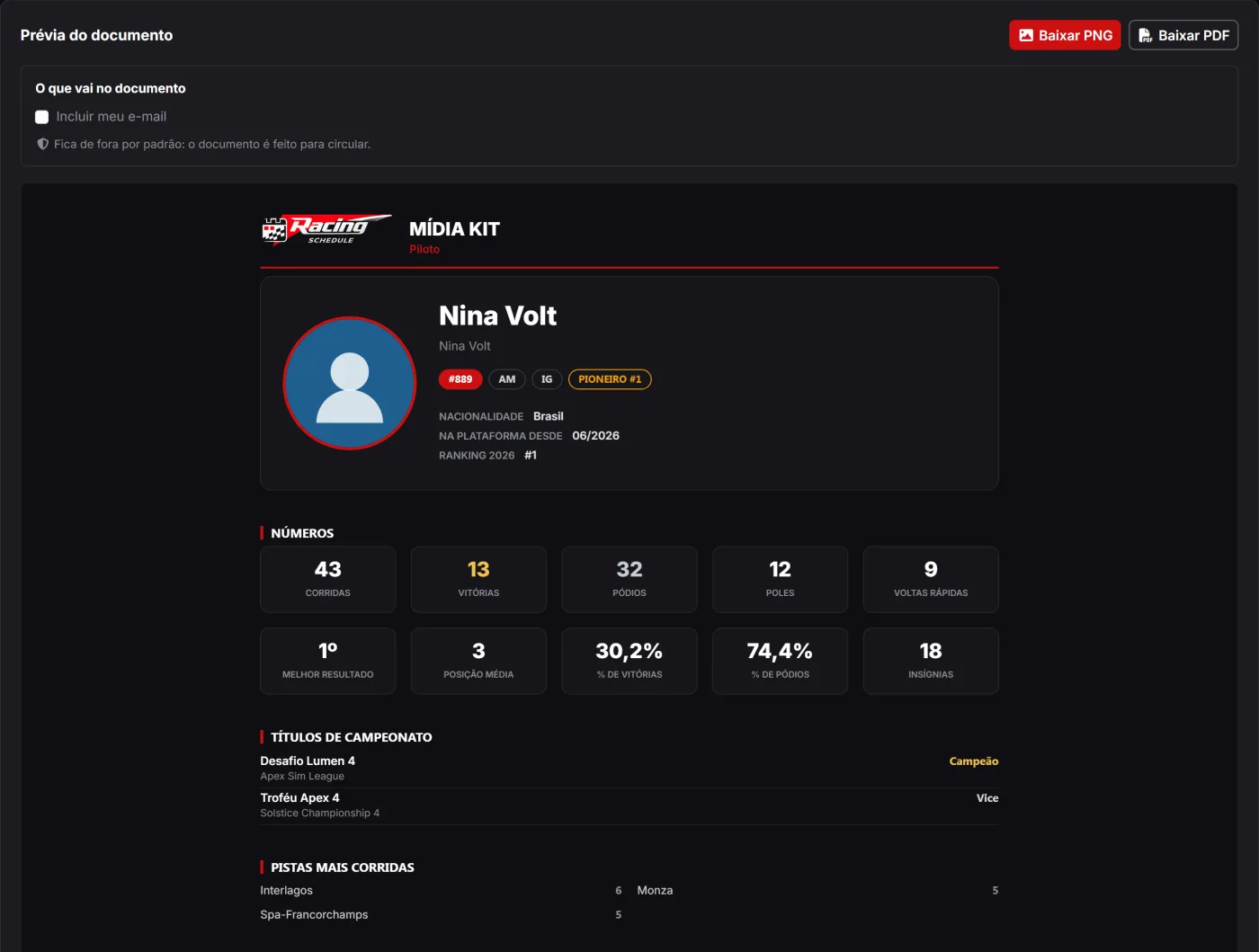
A PNG or PDF document with your photo, your numbers, your titles and your history — built from what the platform already records, with nothing to fill in.
Anyone looking for sponsorship needs one file to send. Today that file gets put together by hand in Canva, with numbers copied from a spreadsheet — and it is born out of date: next Sunday's race is already missing from it.
The media kit solves that from the other end. It is generated on the spot from what the platform already knows about your racing: your photo and your number, your teams, races, wins, podiums, poles, fastest laps, best result, average finish and hit rate, the championship titles frozen when each event closed, the tracks and categories you race most, and the history of the leagues you have entered. All of it carries the platform brand backing the document — along with your ranking position, the one number that compares drivers across different leagues.
You download it as PNG, to send over WhatsApp and DMs, or as PDF, to attach to a proposal e-mail. What you see on screen before downloading is the file itself, not a preview that looks like it.
E-mail and phone are left out by default — each is a switch you turn on if you want, because a document meant to circulate should not go out with your phone number in it unless you said so. Your social links always go in: they are already public on your profile.
The media kit is not only for drivers: leagues, channels, teams and organisations each have their own, carrying the numbers a sponsor of theirs cares about — the league's average grid and hall of champions, the channel's hours on air and leagues covered, the team's roster and record, the organisation's portfolio of leagues.
Build your team, race in pairs or trios and watch the team résumé grow on its own.
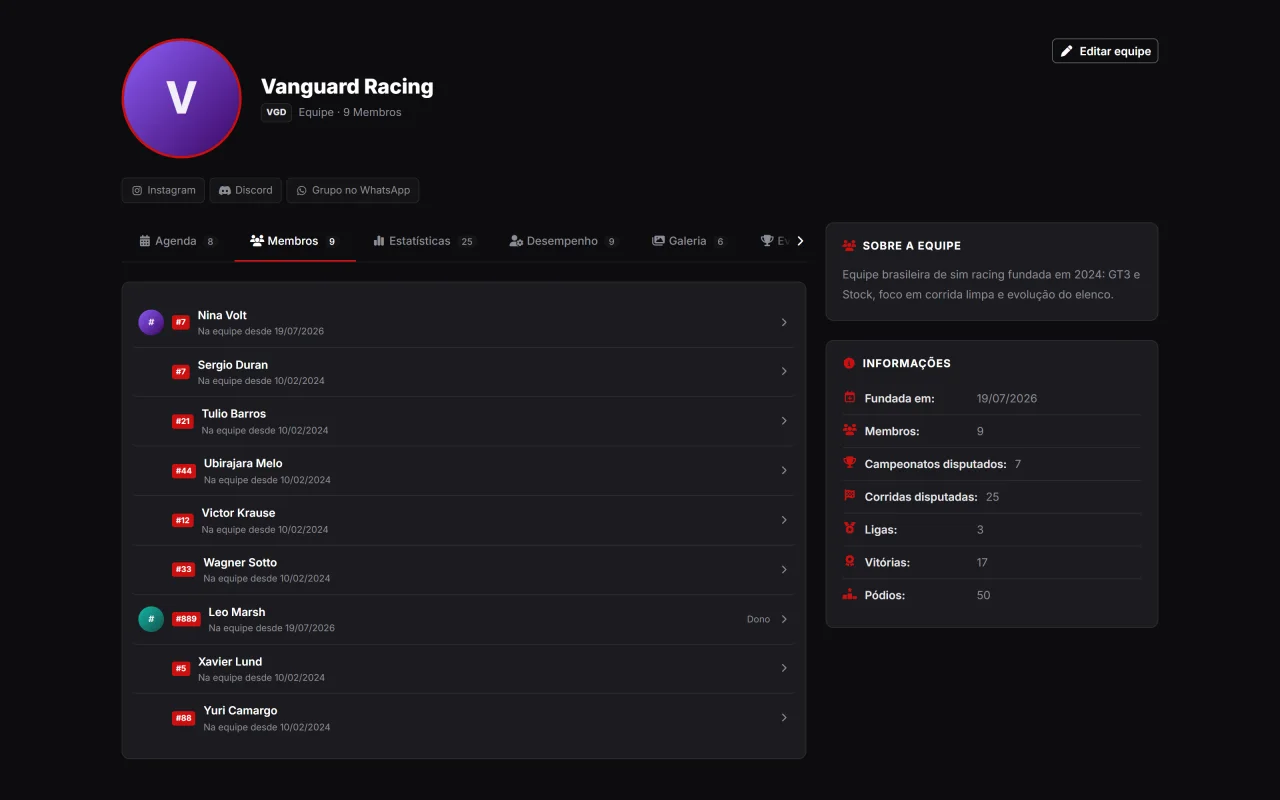
A team is the driver’s crew: it has a public profile, a roster, a photo gallery, news, partners and a résumé that fills itself in race after race. Creating one is for subscribing drivers; joining is free for everyone.
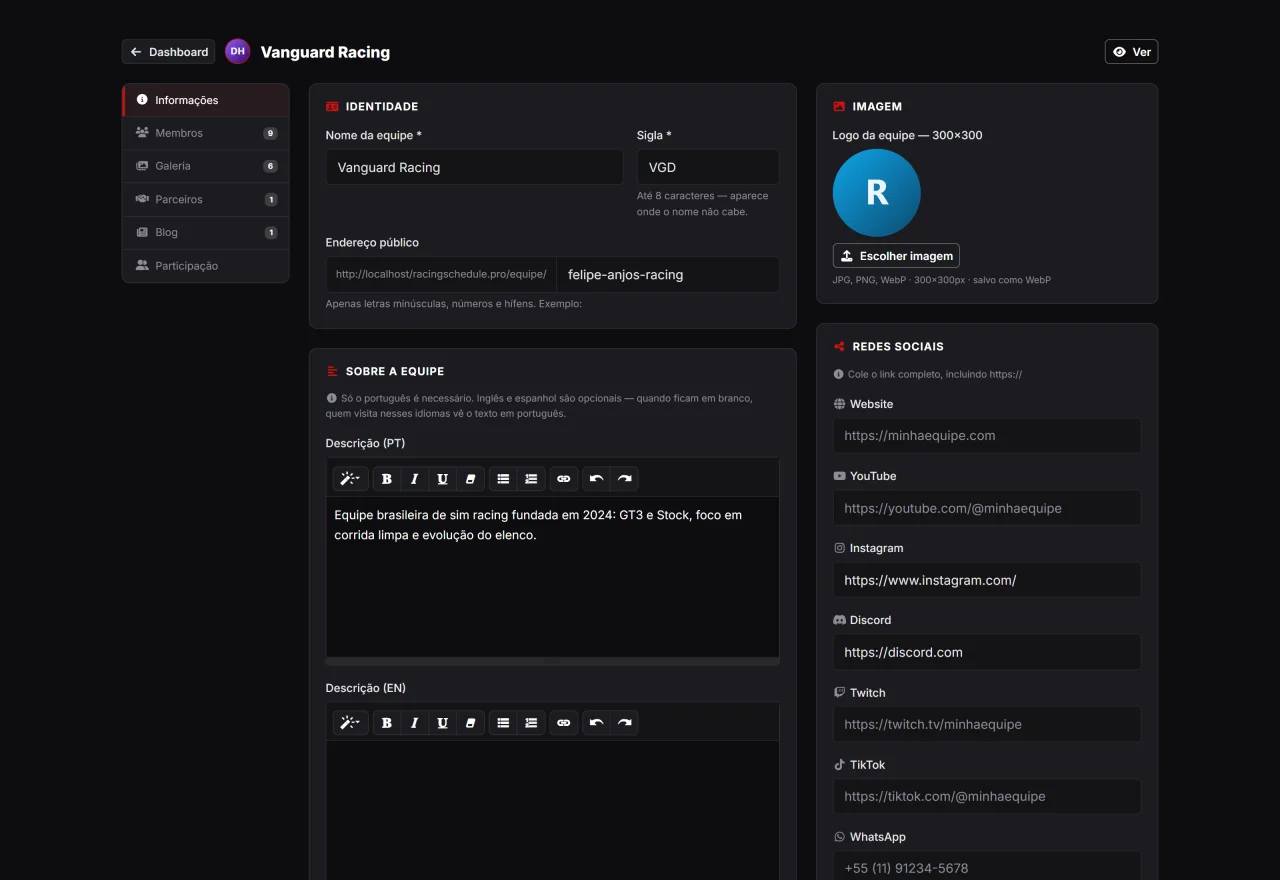
Name, tag, logo, description, social links and roster — in one tabbed screen, just like managing a league.
Team management is split by subject: Info (name, tag, description in all three languages, logo and social links, WhatsApp group included), Members, Gallery, Partners, Blog and Participation. You invite whoever you want to the roster, and you can hand the whole team over to another driver by e-mail without losing any history.
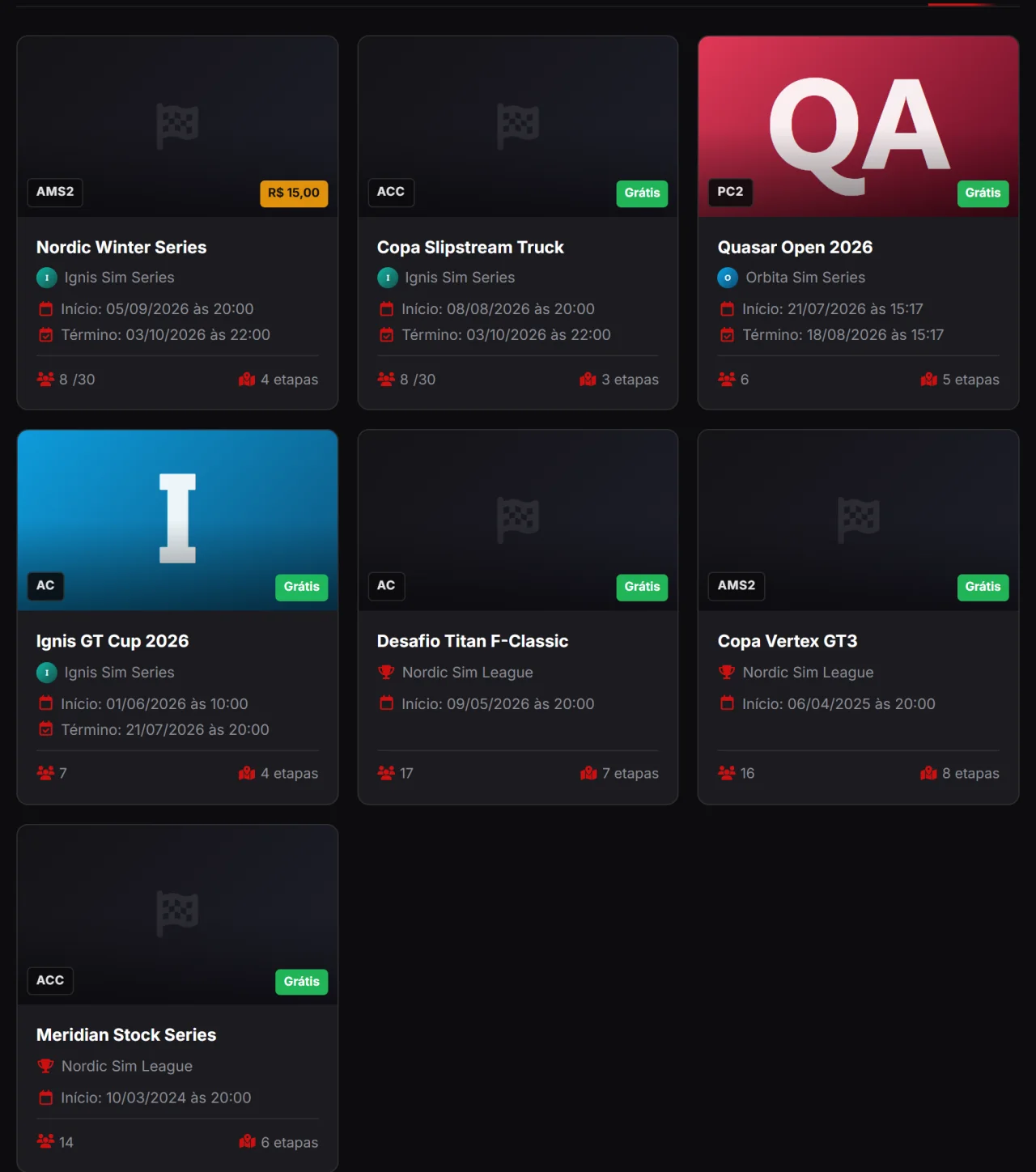
Its own address to show the roster, championships, photo gallery, news and partners.
Every team gets a public address with tabs for Schedule, Members, Stats, Performance, Gallery, Championships and News. The gallery is the human side of the crew — meetups, trips, podiums and behind the scenes — and the championships show where the team raced and how it finished. Whatever is already published stays online even if the owner’s subscription lapses: without a subscription what freezes is management, never the content.
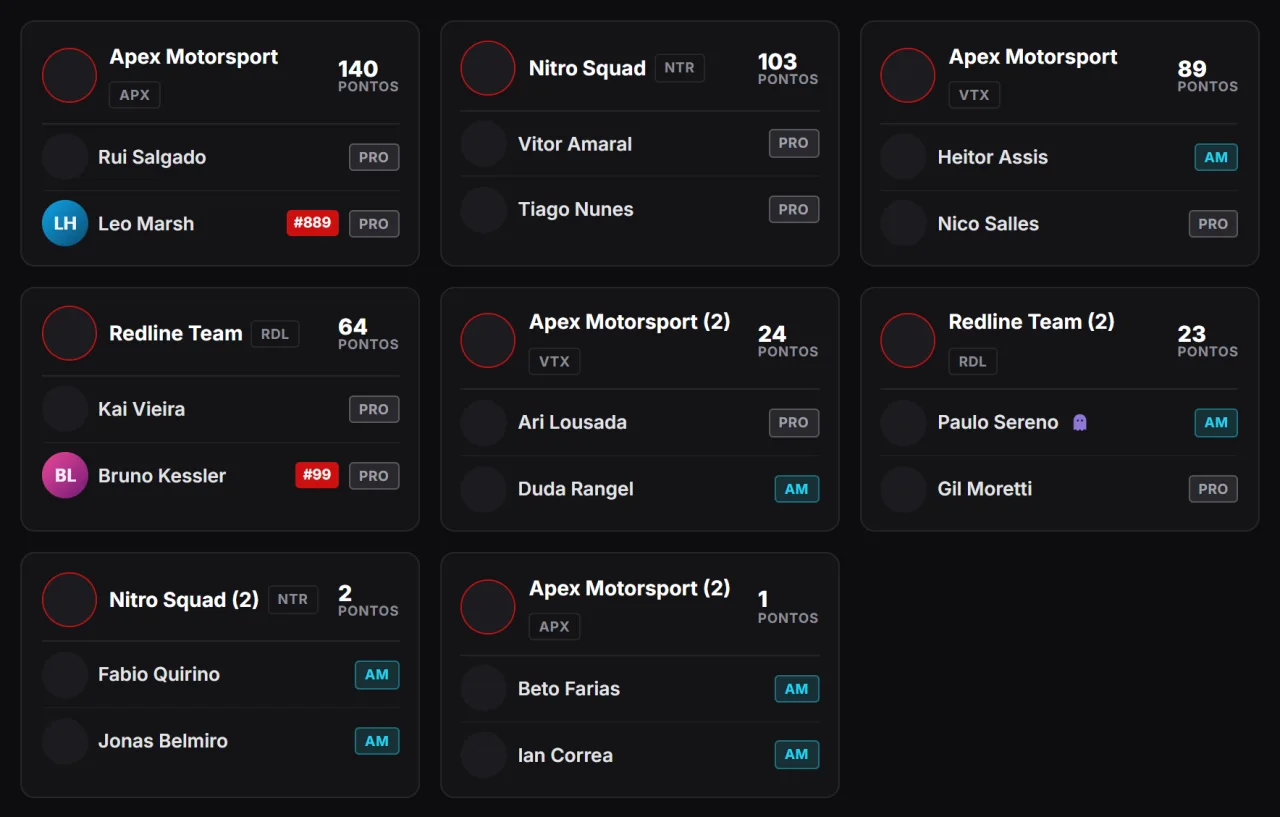
The event decides how many drivers per team entry — and the team standings come out ready.
Not every rulebook adds the whole crew into a single line. The league turns grouping on for the event and sets the size — pairs, trios or more — and the same team then races as Vanguard Racing and Vanguard Racing (2), each group scoring on its own. When entering, the driver picks a group or names a team-mate, in two steps; on the management side there is a board with one picker per driver and a Group up button that pairs everyone still on their own in one go. A team rule never rejects an entry: a full group simply sends the driver to another one, and the league sorts it out afterwards.
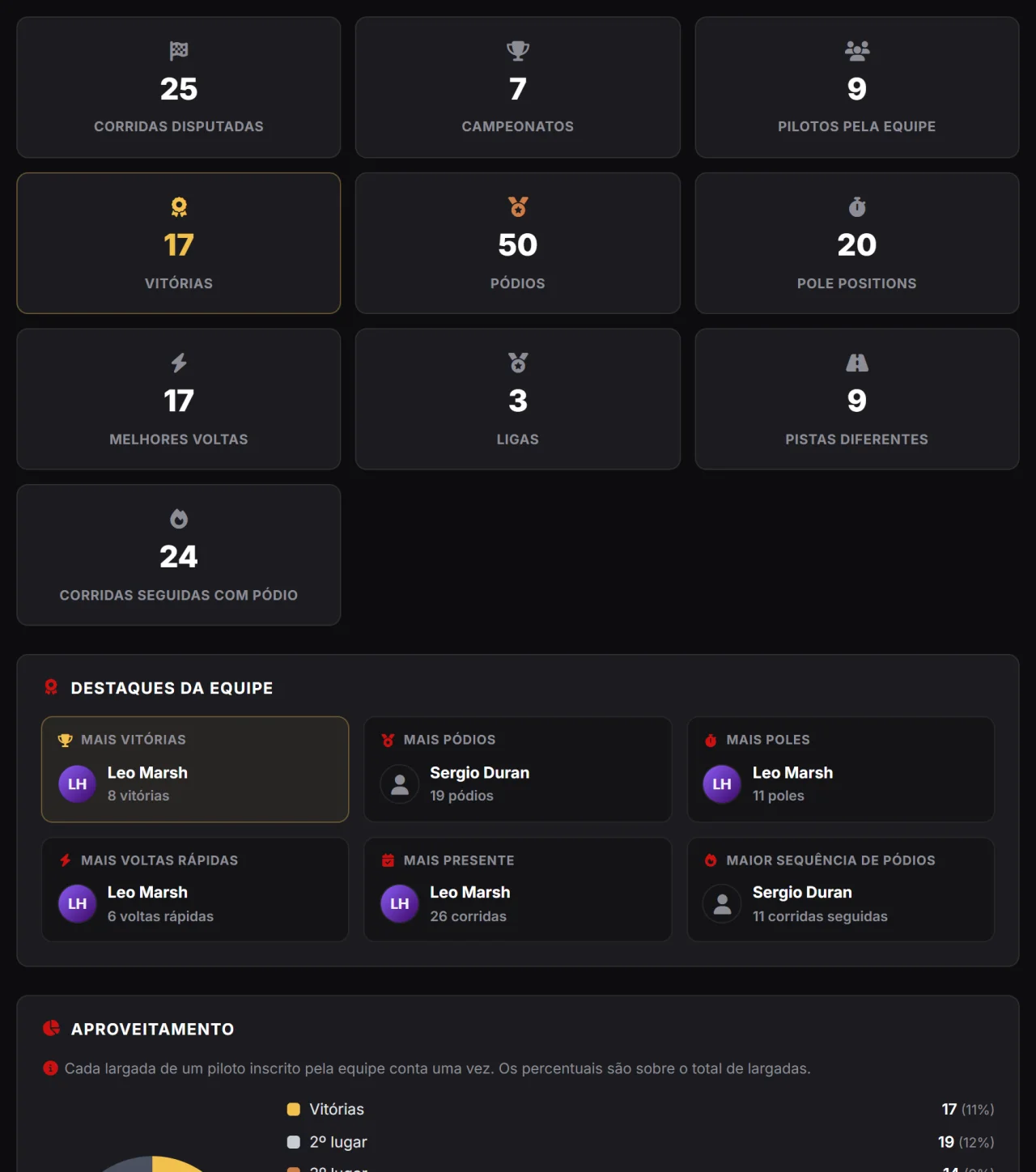
Races, wins, podiums, roster record-holders and titles won — all worked out on its own.
The Stats tab gathers everything the crew has ever done: headline numbers, roster record-holders, finishing rate, breakdown by category and by simulator, most-raced tracks and leagues, and the history of titles won — including the one-two, when two of the team’s drivers end up on the same final podium. The link is each race entry, not today’s member list: a driver who leaves does not take away what the team achieved with them.
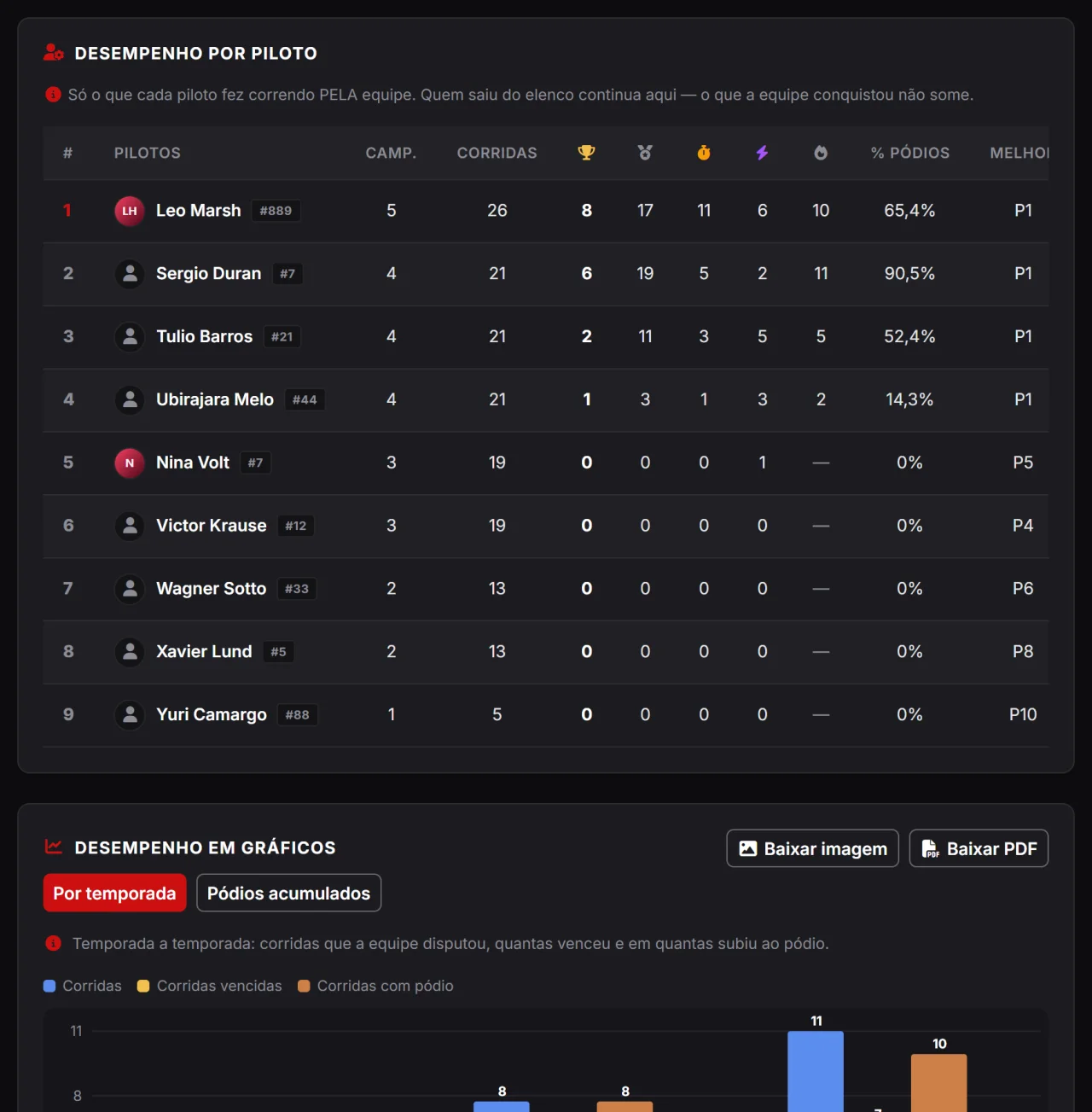
Who delivers most for the team, a season-by-season comparison and each driver’s progress curve.
The Performance tab shows what each driver did for the team — championships, races, wins, podiums, poles, fastest laps, podium rate and best result — plus a season-by-season bar comparison and the cumulative progress curve. Both charts export to PNG or PDF with the team branding, ready for the group chat or social media.
Complete tools to organize championships, rounds and drivers.

Run your championship end to end: create the league, publish events and rounds, receive entries and manage everything with your team. Less manual work, more time for the racing.

An official page with your brand, rules and calendar.
Publish an official league page with logo, description, rulebook and the full calendar. It is the showcase that attracts drivers and gives your project credibility.

Build the season with dates, tracks and heats.
Set up events with their rounds, times, tracks and heats. Everything shows up neatly organized for drivers and on the platform's public calendar.

Receive entries and approve drivers in one click.
Choose between automatic entries or manual approval. See who signed up, approve or decline and keep the grid under control — with pending alerts at the top of the screen.

Share management with your organizing team.
Invite moderators to help run the league and its events. Share the workload with your co-organizers without handing over the main account.
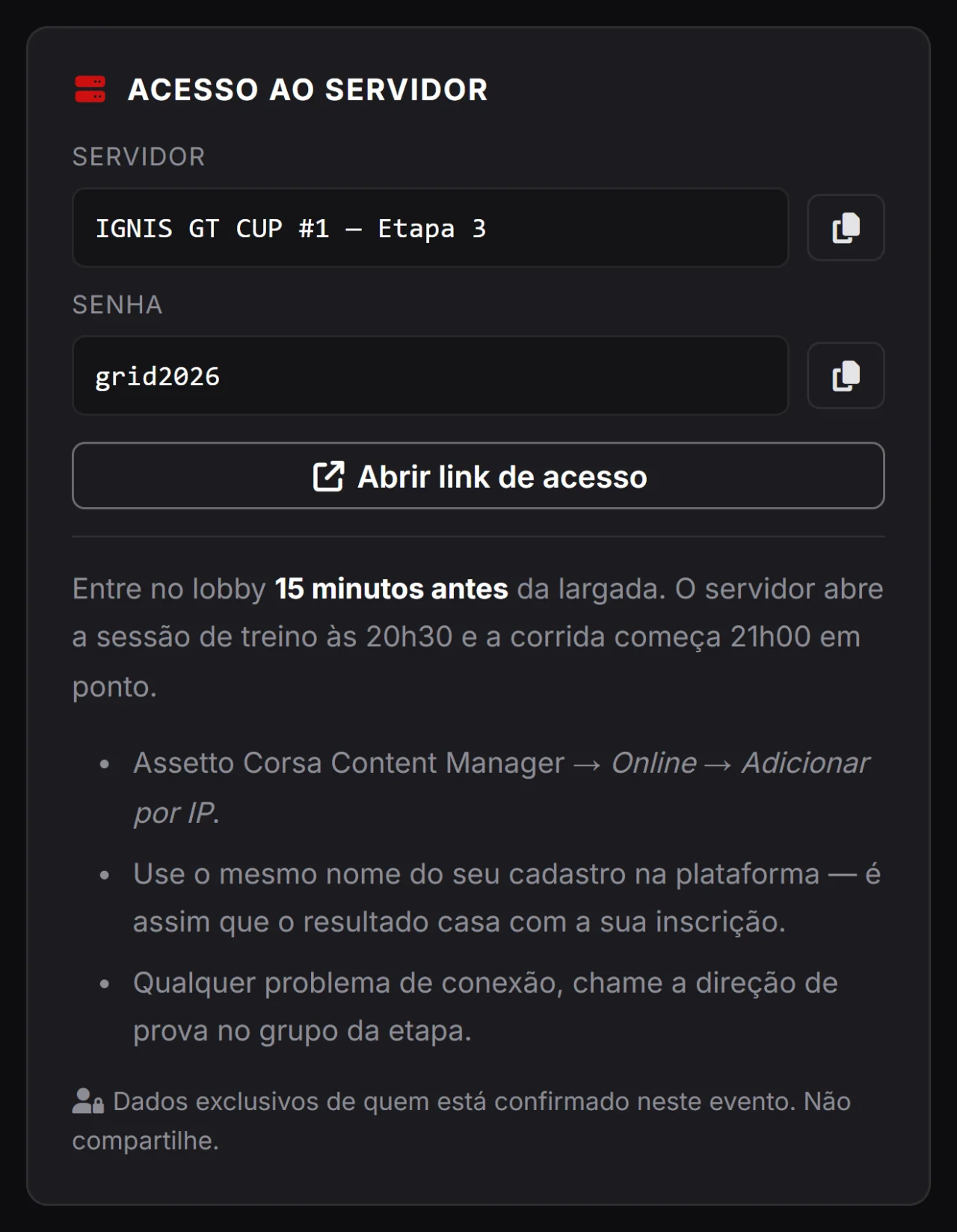
Name, password, link and race instructions in a box only confirmed entrants can see.
After approving an entry, leagues still had to pass the server password around by message — and whoever arrived later never found it. Now the data lives on the event: server name, password, join link and instructions show in a box on the race page itself, with a copy button, only for approved entrants. Changed IP mid-championship? Edit it once and the whole grid is notified in the bell — nobody joins the wrong server.
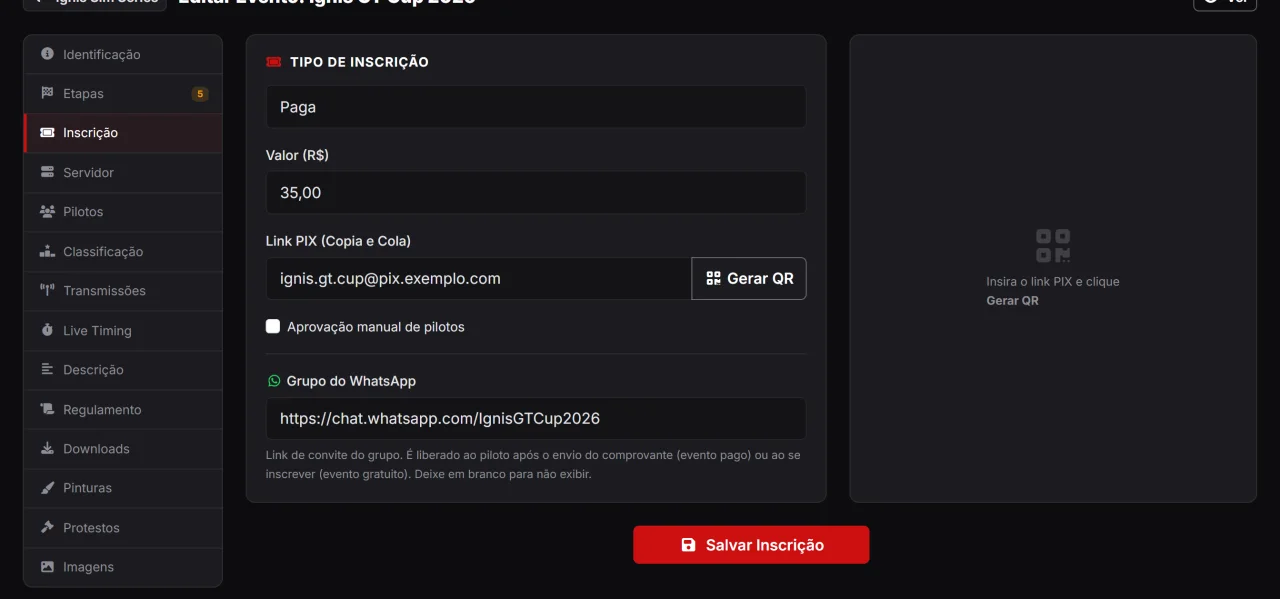
Fee, PIX link with QR code, a receipt uploaded by the driver and the group invite released at the right moment.
A championship with an entry fee does not have to become a bank spreadsheet. You set the fee and the PIX link (the platform generates the QR code), and the driver attaches the payment receipt to the entry itself — a private file only the two of you can see, stored outside the web root and deleted after the event. The WhatsApp group invite lives on the event and is released to the driver once they send the receipt (paid event) or as soon as they enter (free event): no more sending links in private messages.
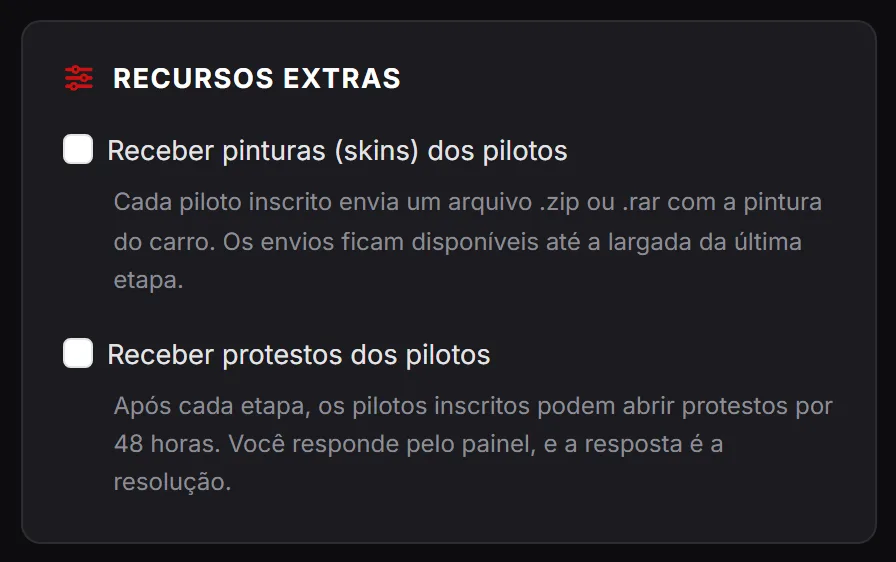
Collect the grid liveries in one place and turn group-chat complaints into protests with a deadline.
Two classic pains for organisers. Liveries stop arriving by private message: the event opens a submission window, each driver uploads their skin and you download the lot at once to build the race pack. Protests leave the WhatsApp group and become a form with a deadline, description, evidence and a stewards’ reply — each case with its own record, visible to whoever is entitled to it. Both come with the league’s higher plans.
Bring all your leagues under one brand — with an official page, a unified schedule and partners.
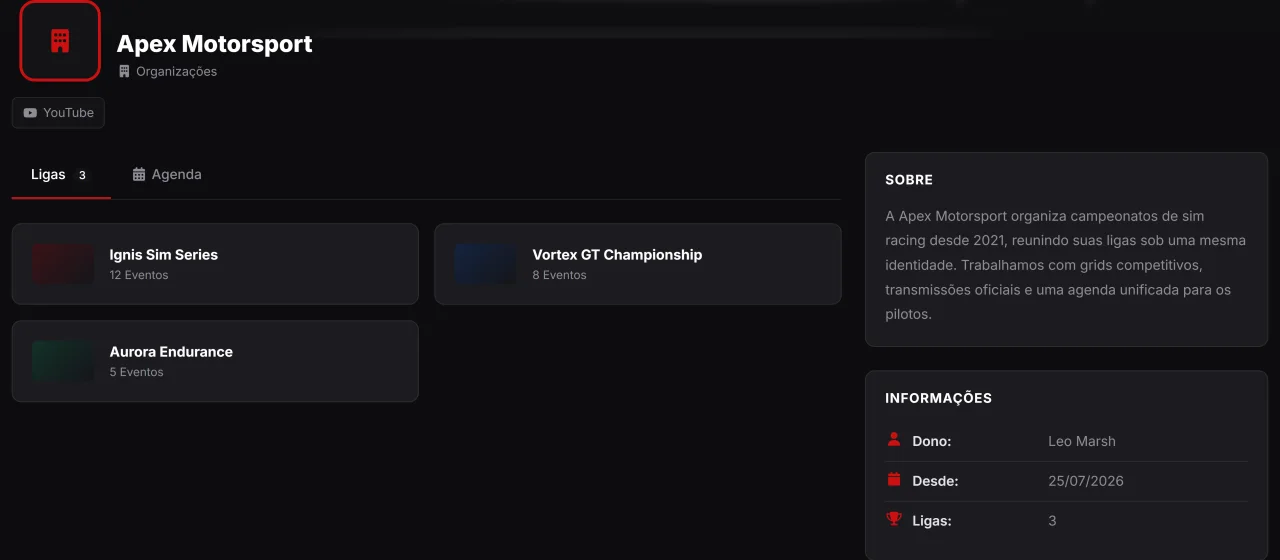
If you run more than one league, you can create an Organization: a public profile that gathers them all under the same identity, with a unified schedule and its own showcase on the platform. It is free and takes just a few minutes.
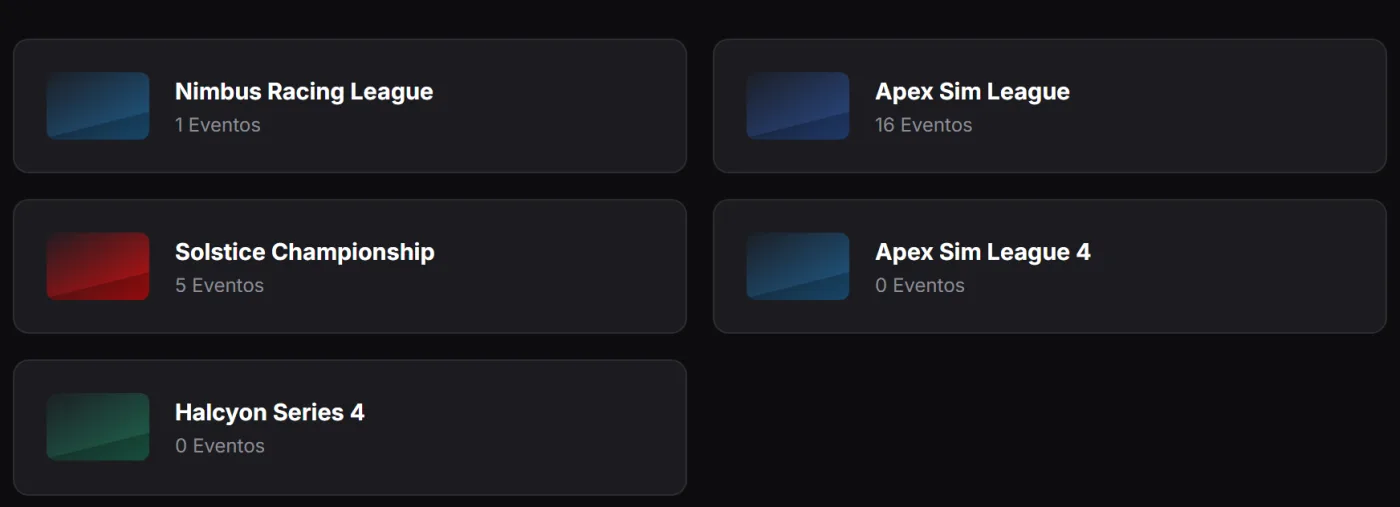
One brand for every championship you run.
Link as many leagues as you like to your organization. Each one keeps its own page and rules, but they all appear together on the organization profile — with a total event count and a schedule that combines every round.
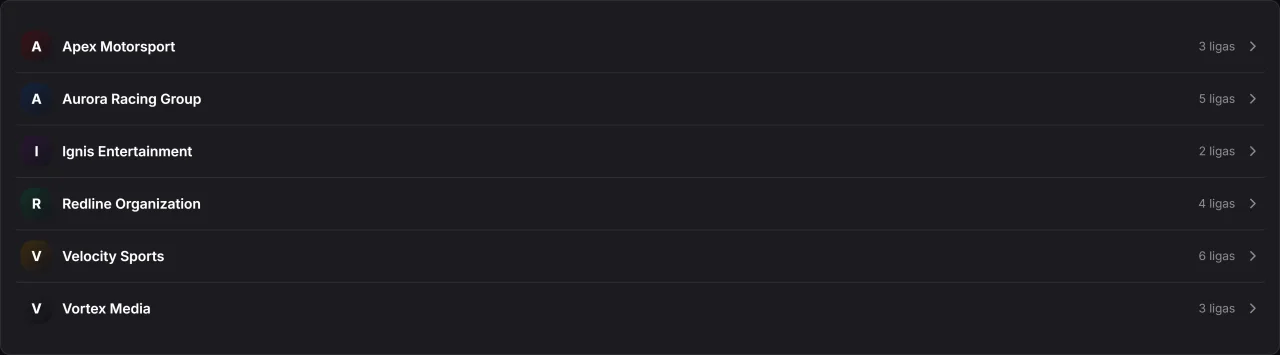
Your organization listed and easy to find.
Every organization joins the platform's public directory, listed alphabetically and searchable. It is one more way for drivers to discover your championships and get to know who runs them.
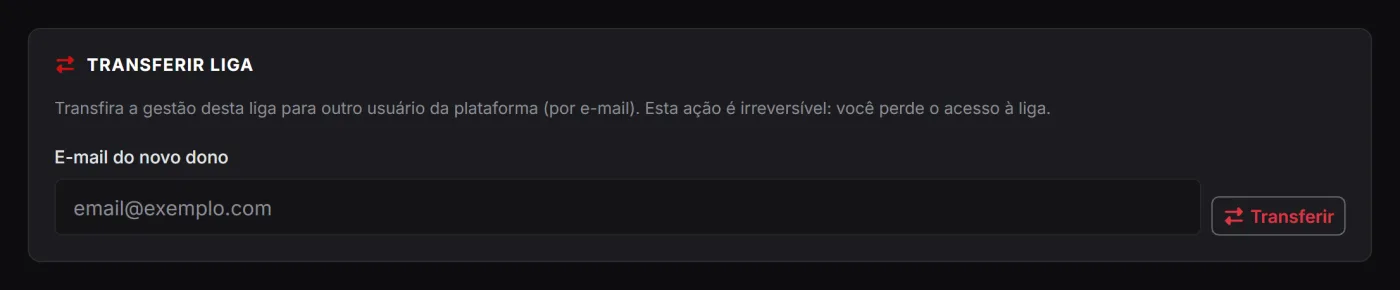
Hand a league over to another organizer safely.
Need to hand a league over to someone else? The transfer is done by email, confirmed by both sides — without losing events, entries or history. The league changes owner; the work carries on right where it stopped.
From the chequered flag to the published table: enter, import from the sim, review and publish.
The race ends and the boring work begins: building the result, checking who is who, applying penalties, adding bonuses, dropping the worst round and posting the table in the group chat. That is exactly the part the platform takes off your hands — with the spreadsheet coming out ready at the end.
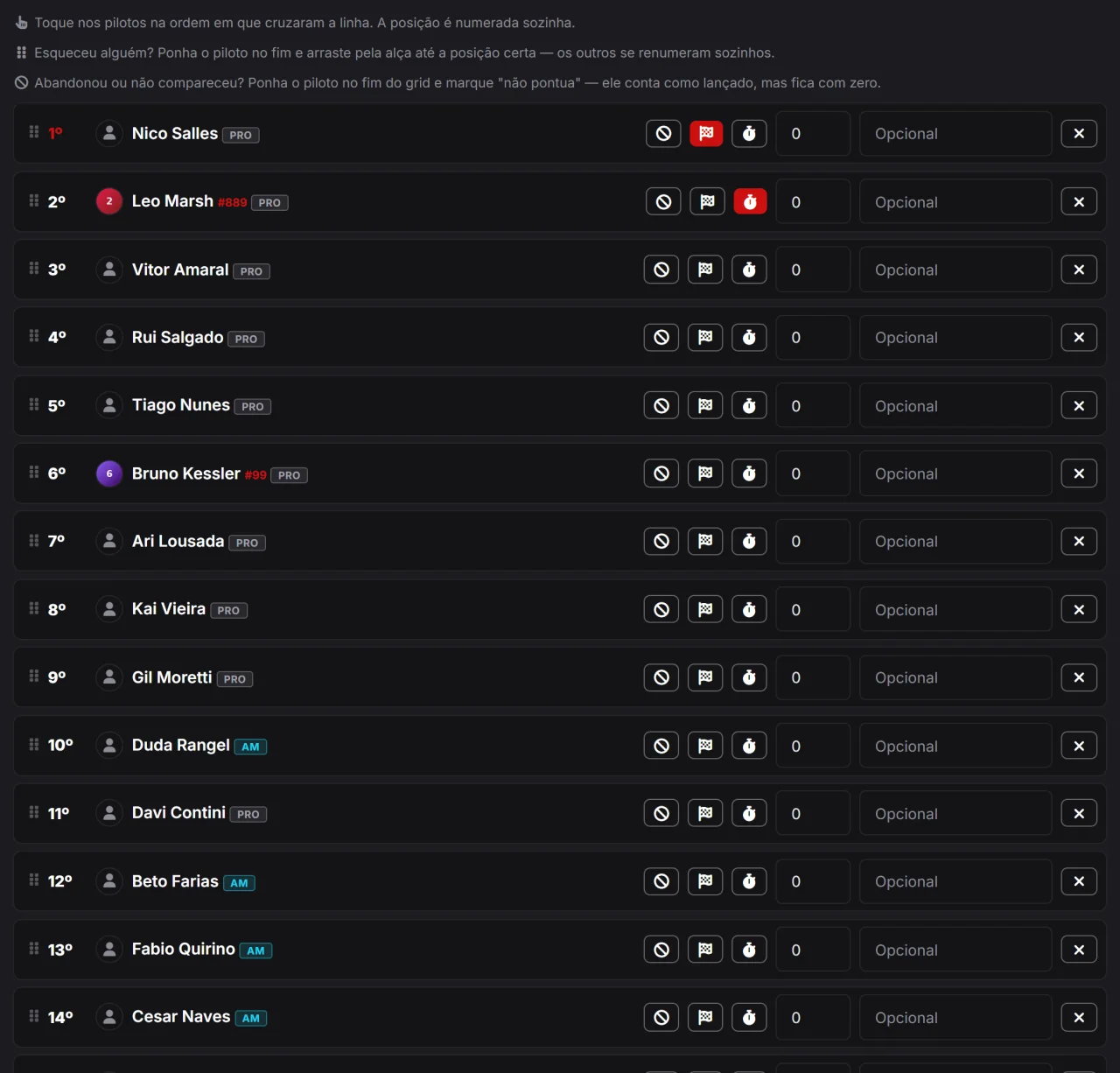
Click the order drivers crossed the line, drag to fix it and that is it: points are worked out.
Entering results is a live list: you click drivers in finishing order and the grid builds itself. Got it wrong? Drag by the handle (or use the arrows) — the grid rearranges itself, with nobody removed and re-added. Each row takes pole, fastest lap, a points adjustment with a reason (the penalty) and a does not score mark, for whoever retired or missed the race and still has to show on the grid without adding up. At the end, “Publish round” releases everything to the public at once.
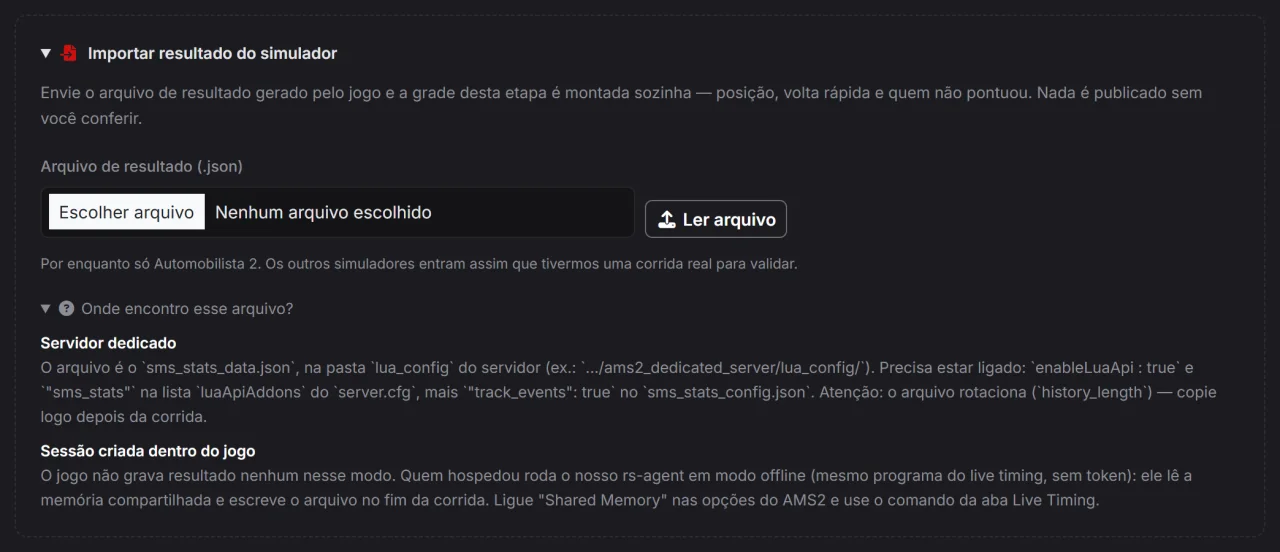
Upload the file the server generated — or pull it straight from the timed session — and the grid comes ready.
Typing 25 positions by hand is where mistakes are born. There are two shortcuts here: the dedicated server file (Automobilista 2’s stats JSON, for instance) and our agent in offline mode, for those hosting the race inside the game itself. If you use live timing, no file is needed at all: the timed session becomes the grid in one click. In every case the result lands as a draft for review — nothing reaches the public before you check it and publish.
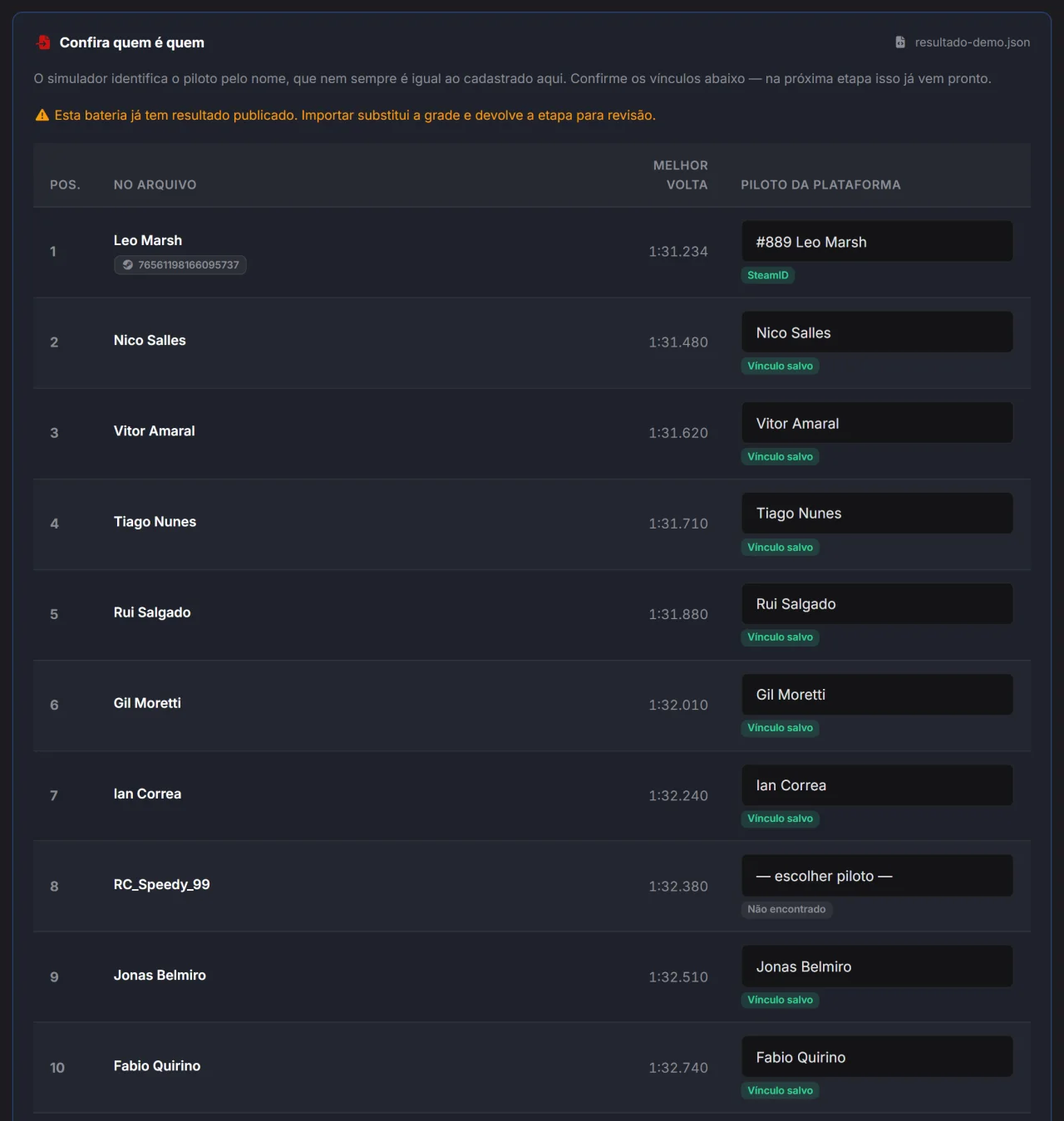
The name in the sim is almost never the name on the profile. The platform matches them — and remembers next time.
Before anything is saved, the screen shows the file on one side and the event grid on the other. Matching runs in a cascade: profile SteamID (the safest, which is why connecting Steam pays off), then the nickname already linked in that league, then the exact profile name — and, for whatever is left, a similarity suggestion that only suggests, never confirms on its own. Whoever was not recognised is highlighted, waiting for you to pick. The link you confirm today comes ready in the next round.
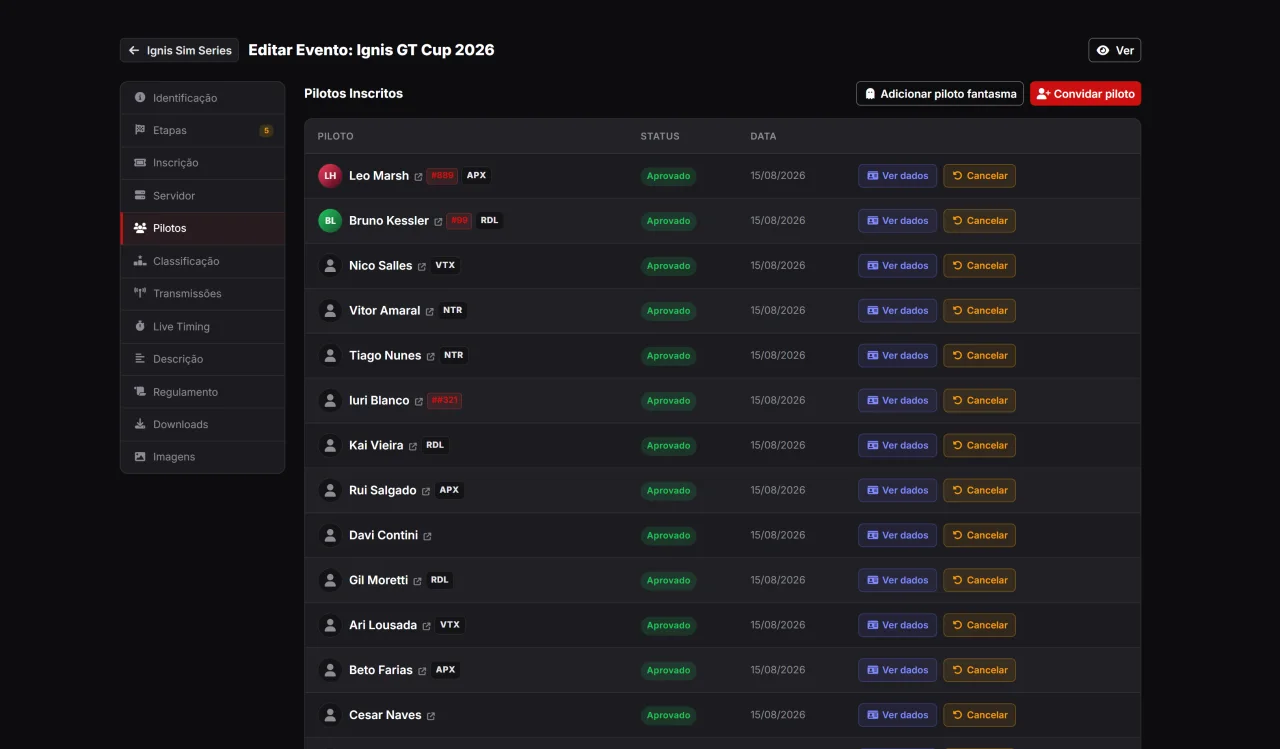
Add the guest driver as a placeholder, race as usual — and move the history over when they sign up.
There is always that driver who races in your championship but does not want to sign up right now. Instead of leaving a hole in the table, the league creates a placeholder driver: they show up on the grid, score points and appear in the standings and event stats, with an icon saying there is no account yet. When they finally register, the league links them and the whole history moves to their account — and the operation can be undone if it was a mistake.
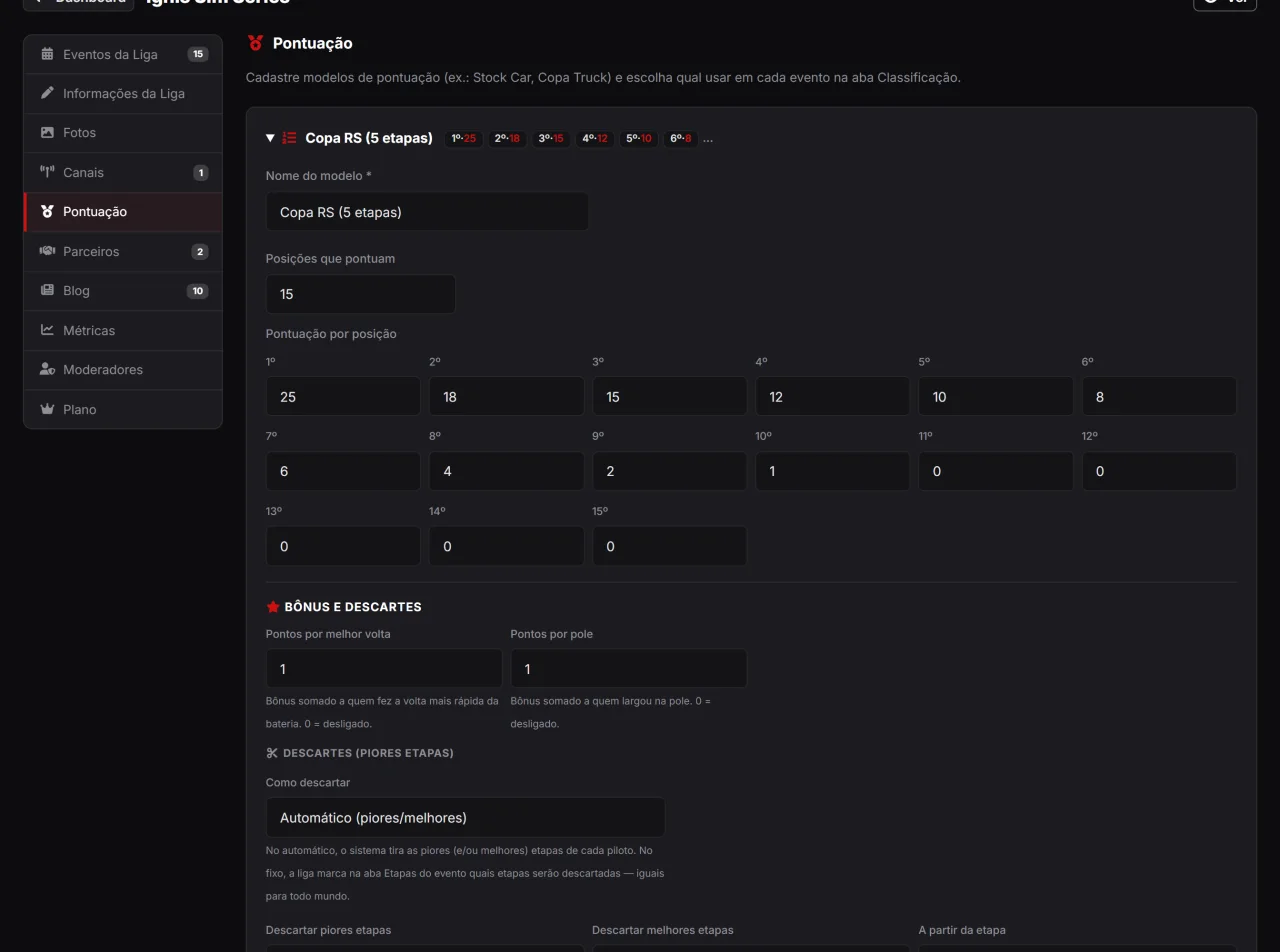
Points by position; pole, fastest-lap, top-climber and full-attendance bonuses; automatic or fixed drops; penalties on the race or on the championship; and a minimum distance to score.
Every league has its own rulebook, and the points model is where it lives: points by position, pole and fastest-lap bonuses and drops, either automatic (each driver's N worst rounds, kicking in from a given round) or fixed (the league marks which rounds fall, the same for the whole grid). A round with several heats loses only its worst heat. Penalties also pick a side: taken off the race, or off the championship total after the drops — the difference that usually separates our maths from the league's spreadsheet. One model serves several championships.
Then there is what a rulebook uses to keep the grid on track to the flag. The minimum distance takes the points away from anyone who completed less than the required share of the winner's laps — 75%, for instance. The top climber bonus rewards, in each race, whoever gained the most positions from the grid to the flag. And the full attendance bonus adds points to the total of anyone with a valid result in every race held so far: retire from one and you lose it. Each is a single number on the form — at zero the rule simply does not exist, and the model stays exactly as it was.
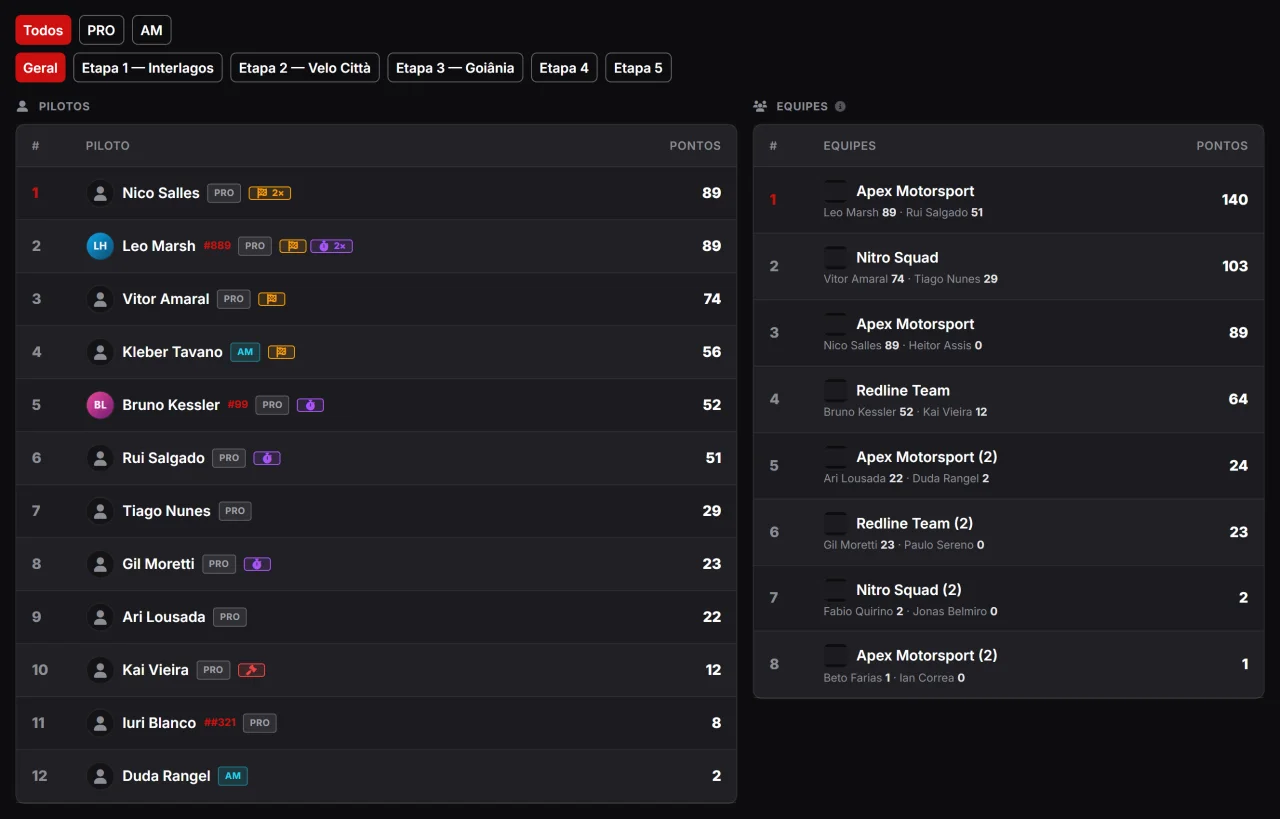
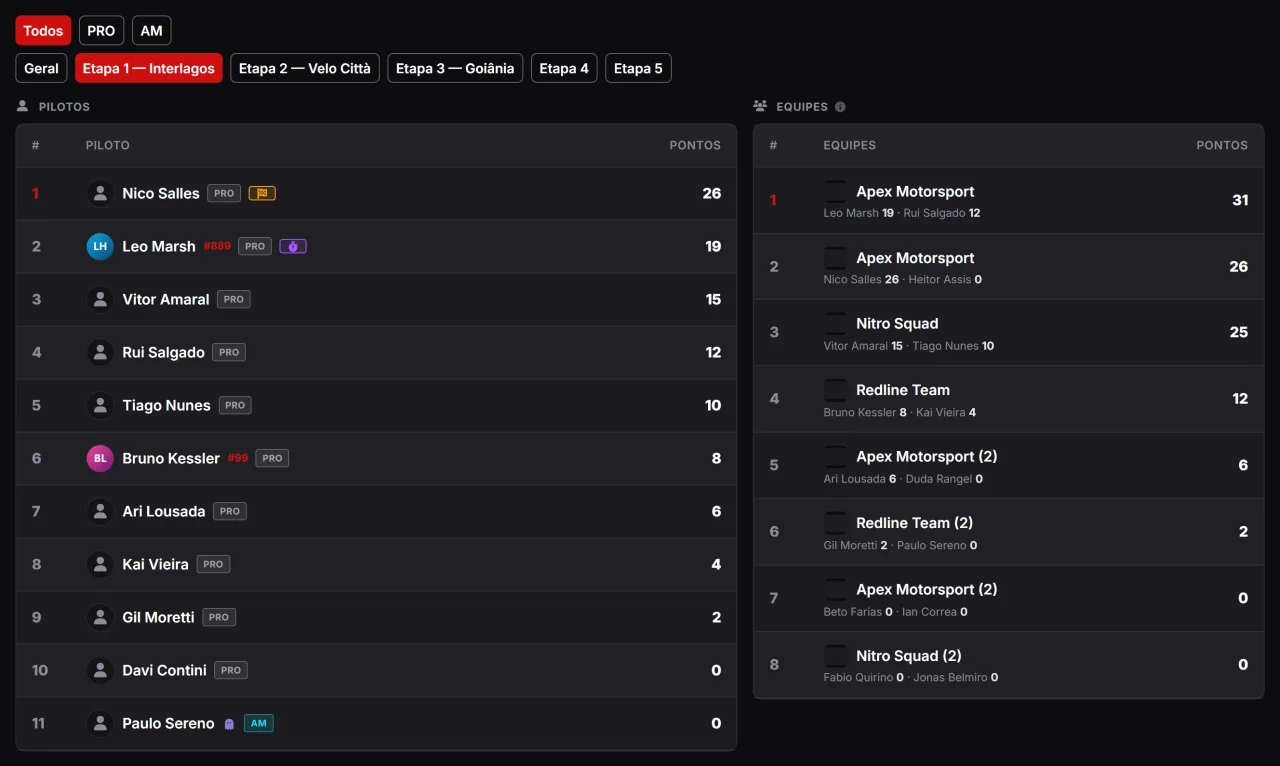
Drivers and teams side by side, filters by category and by round, and a marker for everything that happened.
The public table shows drivers and teams side by side, with filters by category (PRO, AM, whatever the league calls them, each with its own colour) and by round: you can see the overall championship or just what happened in one race. The little markers tell each row’s story — pole, fastest lap, penalty with its reason, did not score, and the drop scissors showing which round left the sum. And the Share button hands you a link that opens on exactly the view you were looking at.
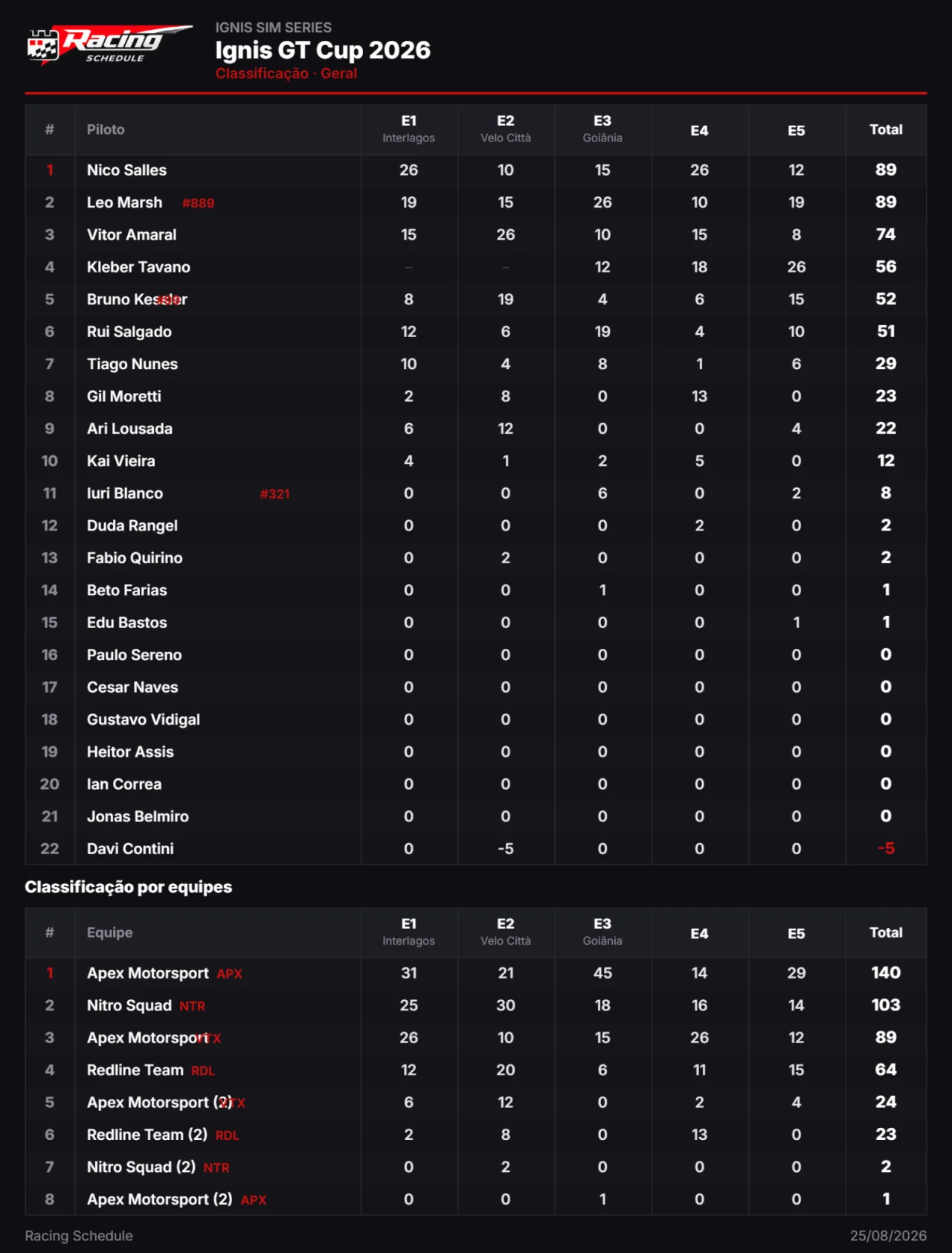
That table leagues used to build by hand to post in the group — now it exports to PNG or PDF in one click.
Drivers down the rows, rounds across the columns, drops struck through and the total on the right — with the Racing Schedule logo, the league logo and the championship name. Team standings come underneath, in the same document. The sheet is drawn from the very table on screen, in whichever view is selected, so the image never disagrees with what drivers see — and the maths add up: sum of rounds − drops + adjustment = total.
Every published result turns into numbers, charts and ranking position — with nobody typing anything in.
Drivers, teams, leagues, channels and championships each have their own stats tab, and they all come from the same place: the rounds already published. Nobody fills in a spreadsheet, nobody updates a number by hand — publish the result and everything moves together, the platform ranking included.
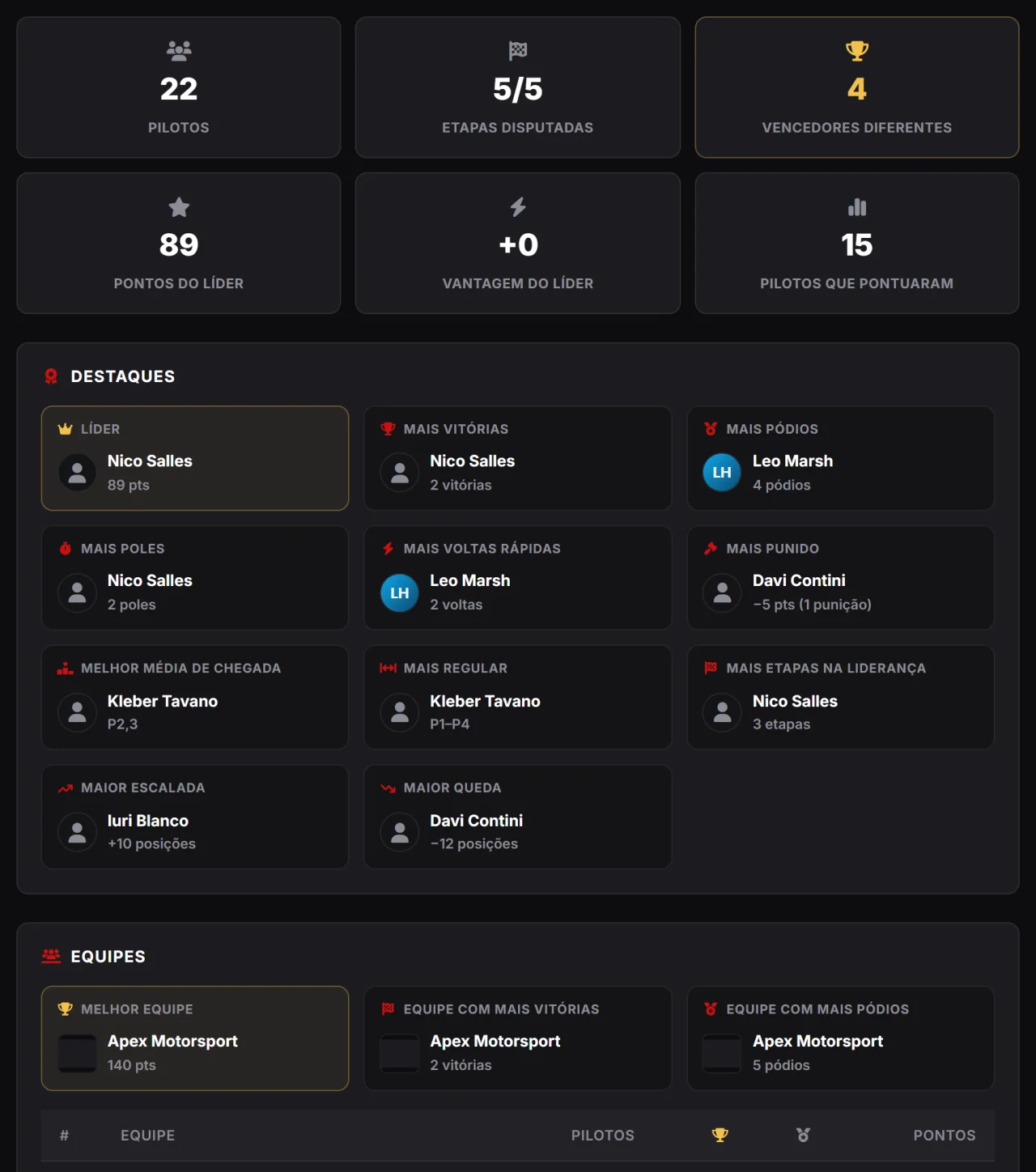
Highlights, a round-by-round summary and the standings evolution chart, exportable to PNG and PDF.
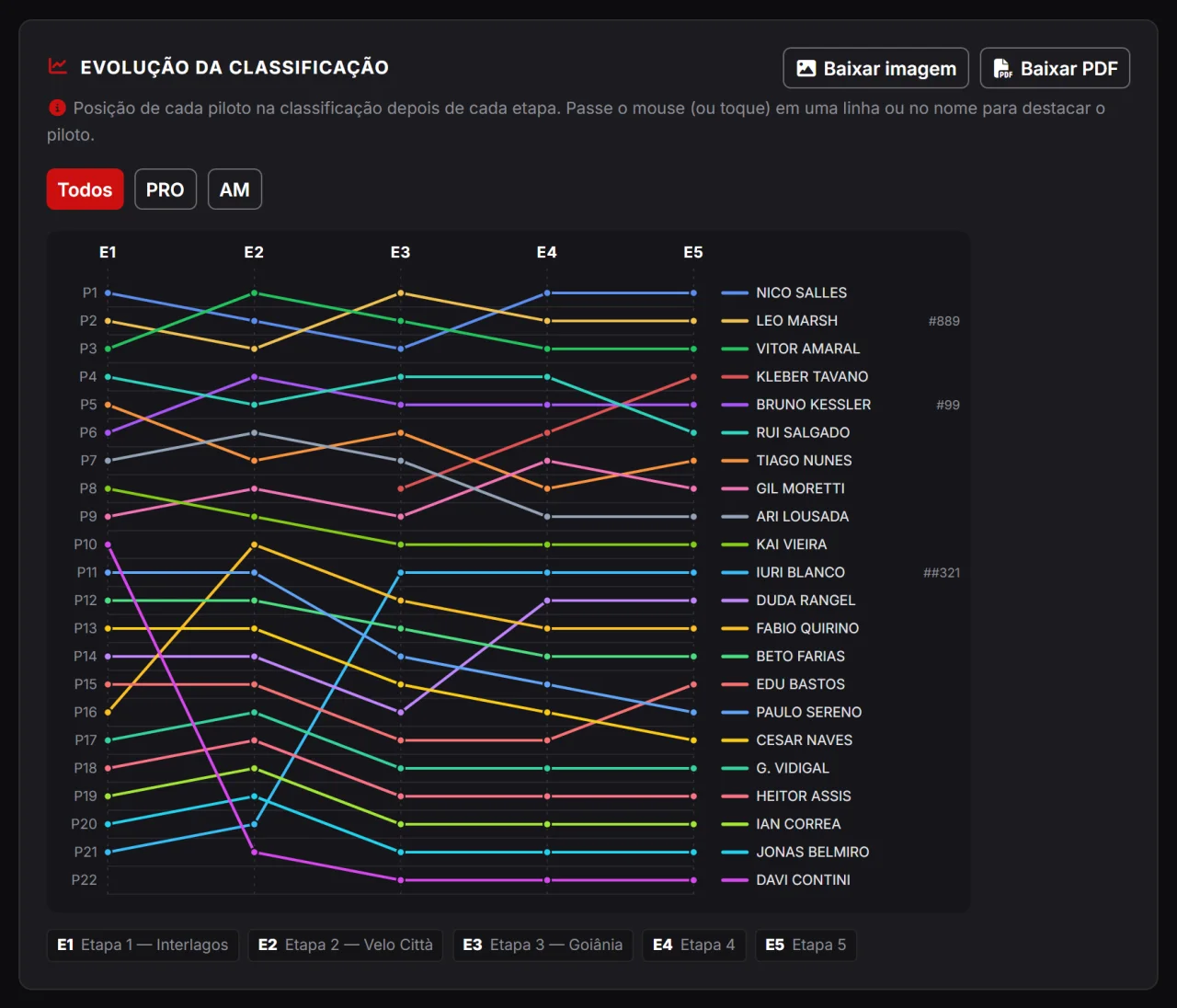
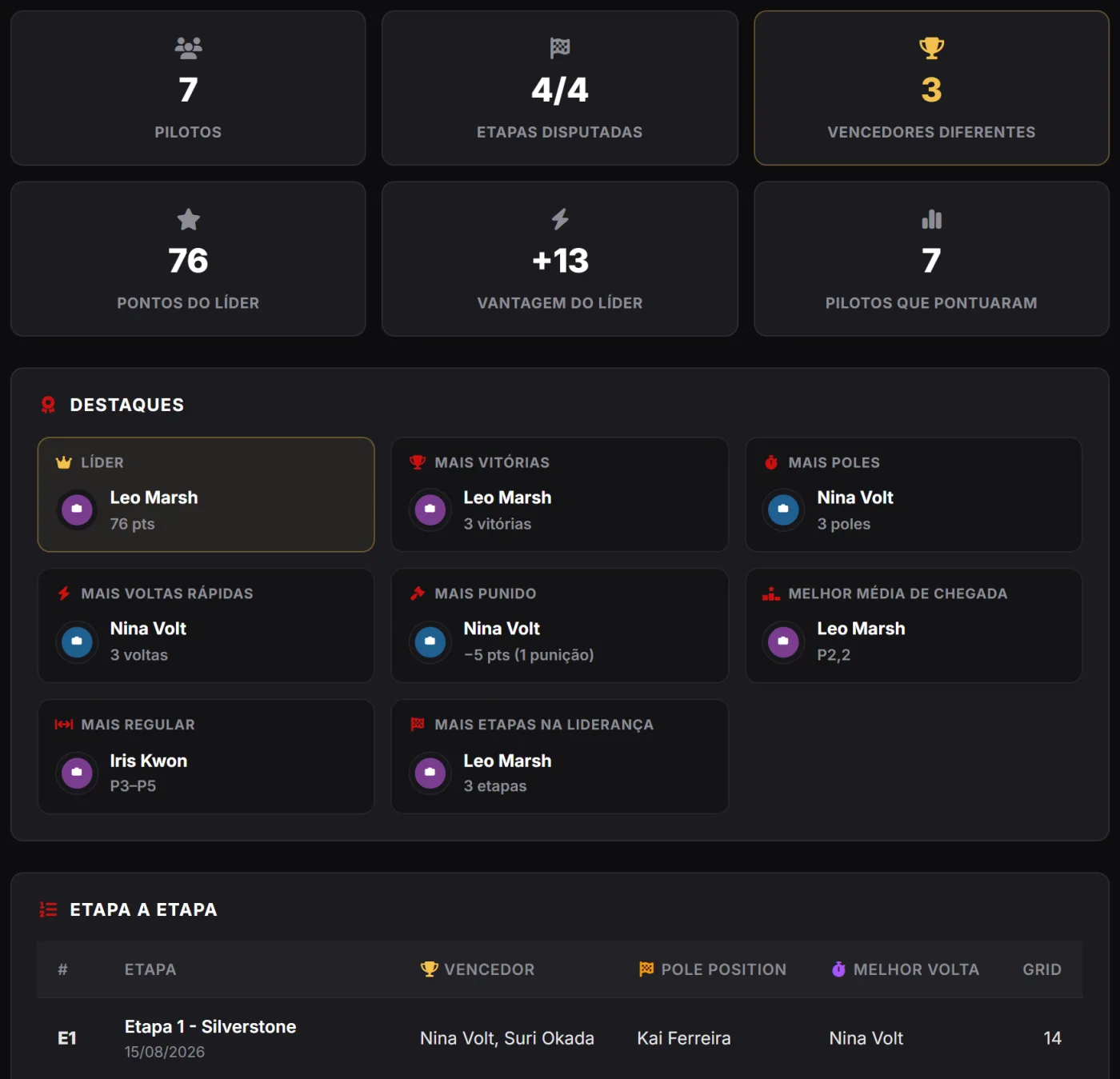
As soon as the first round is published, the event gains a Stats tab: how many drivers, how many rounds, how many different winners, plus the highlight cards — most wins, most podiums, most poles, best average finish, most consistent, biggest climb and biggest drop. Teams get their own block. And the evolution chart shows every driver’s position after each race, the line that starts arguments in the group chat — downloadable as PNG or PDF. A highlight card with no data simply does not show: no placeholders.
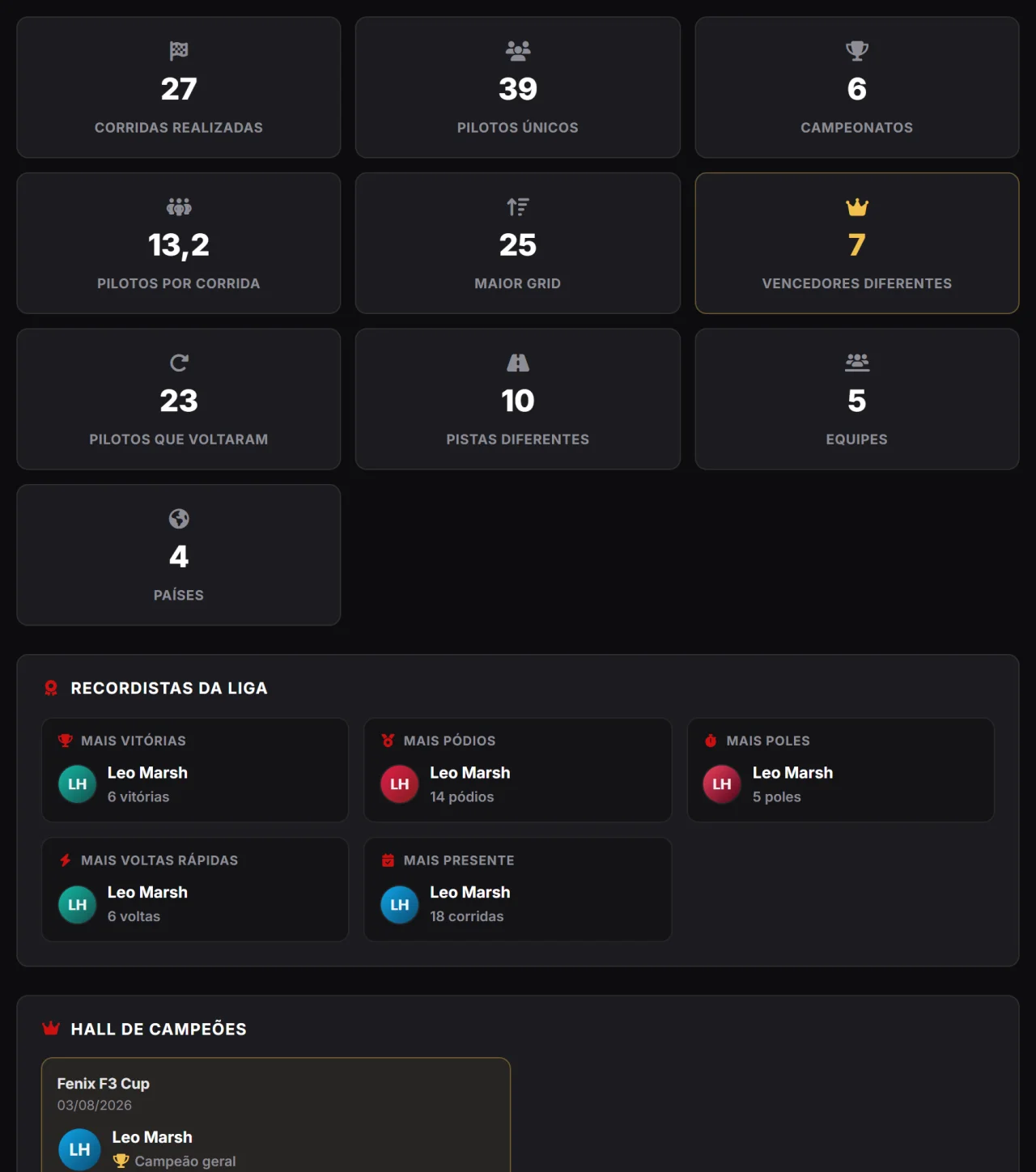
Every championship added up: all-time record-holders, champions and the activity chart.
The league profile gains a Stats tab with its whole history: races run, unique drivers, championships, average grid, how many drivers came back, different tracks, all-time record-holders and the hall of champions, with who took each title. There is also the historical ranking of drivers and teams, the top tracks, simulators and categories, and the activity chart — races and drivers per year. No ranking adds points across championships, because each one has its own rulebook: here everything is a count.
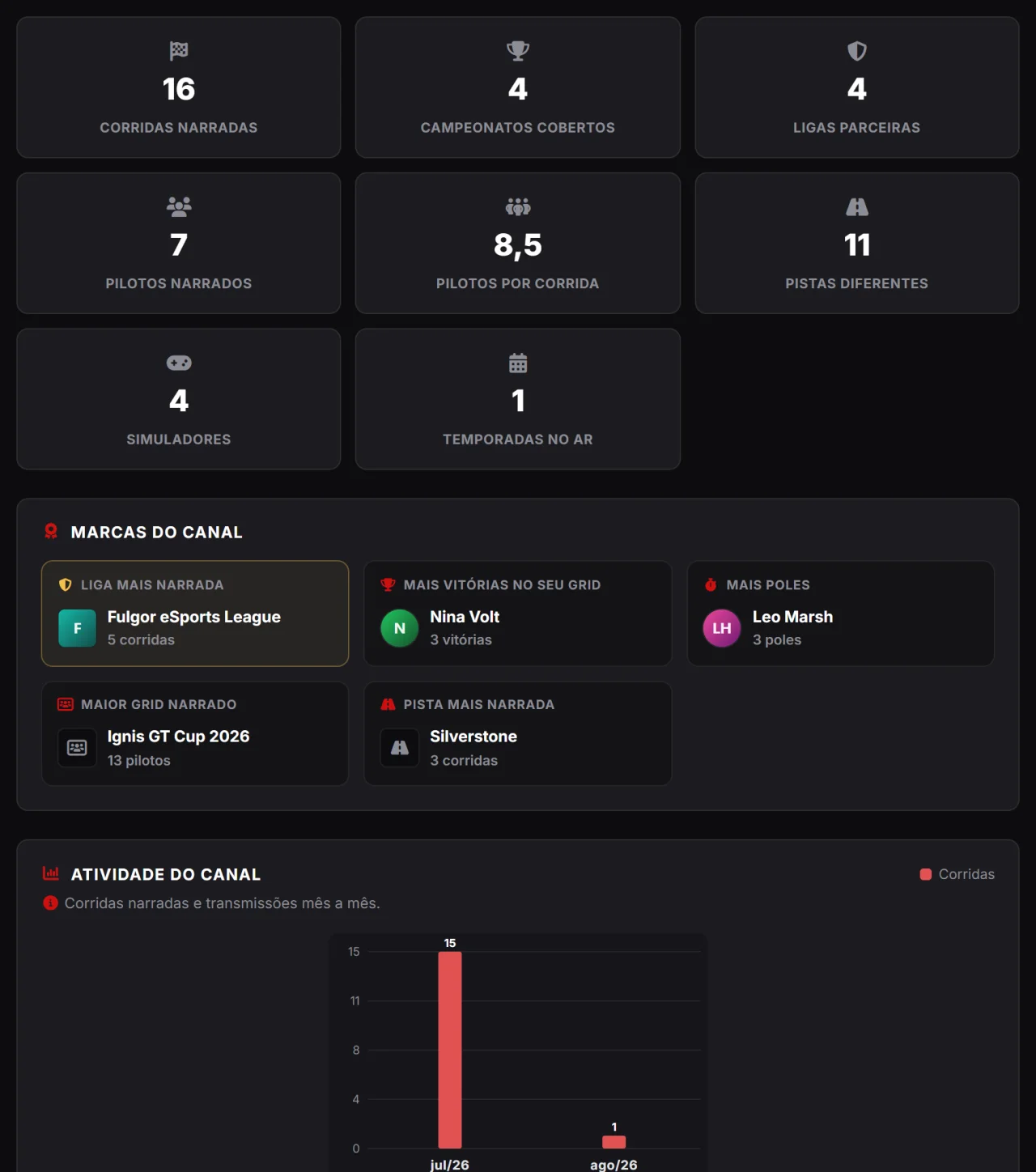
A portrait of the broadcaster’s work: races covered, leagues, simulator speciality and activity.
Broadcasters have a résumé too. The channel’s Stats tab shows races covered, championships, partner leagues, drivers per race, different tracks, the channel’s milestones (most-covered league, biggest race called), the speciality doughnut (how much of each simulator) and the activity chart over time. It is the page that answers, without arguing, why your league should sign with this channel.
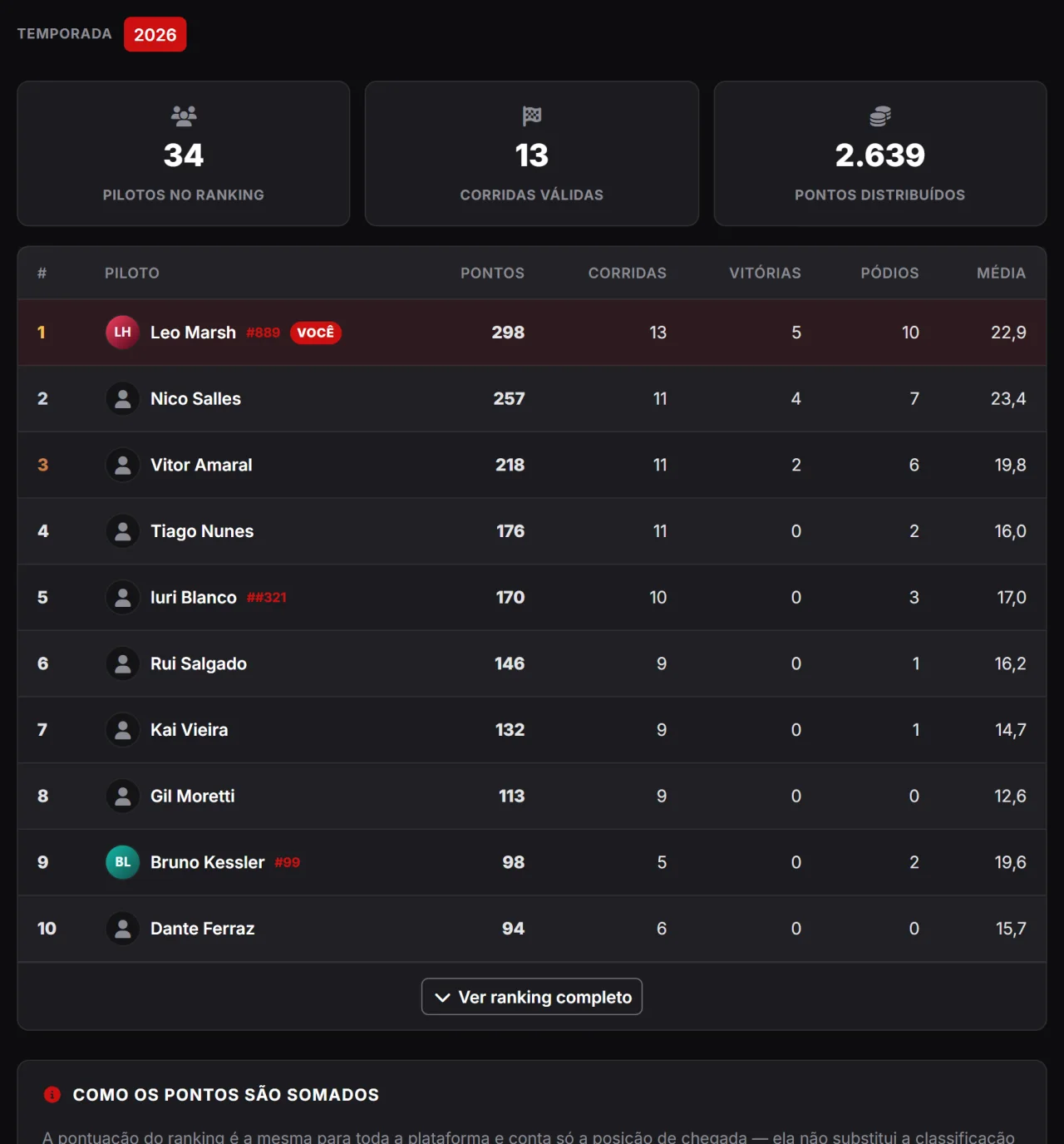
A single yardstick to compare every driver who raced in the league, in any championship.
Standings belong to the championship and follow the league’s rulebook; the ranking is something else: a single yardstick, the same for everybody, scoring by finishing position in any race. That is what lets you compare someone who raced the Sprint with someone who raced the Enduro. On the league profile it shows as a tab, with a selectable season — and the board resets on 1 January, so the new season starts from scratch for everyone.
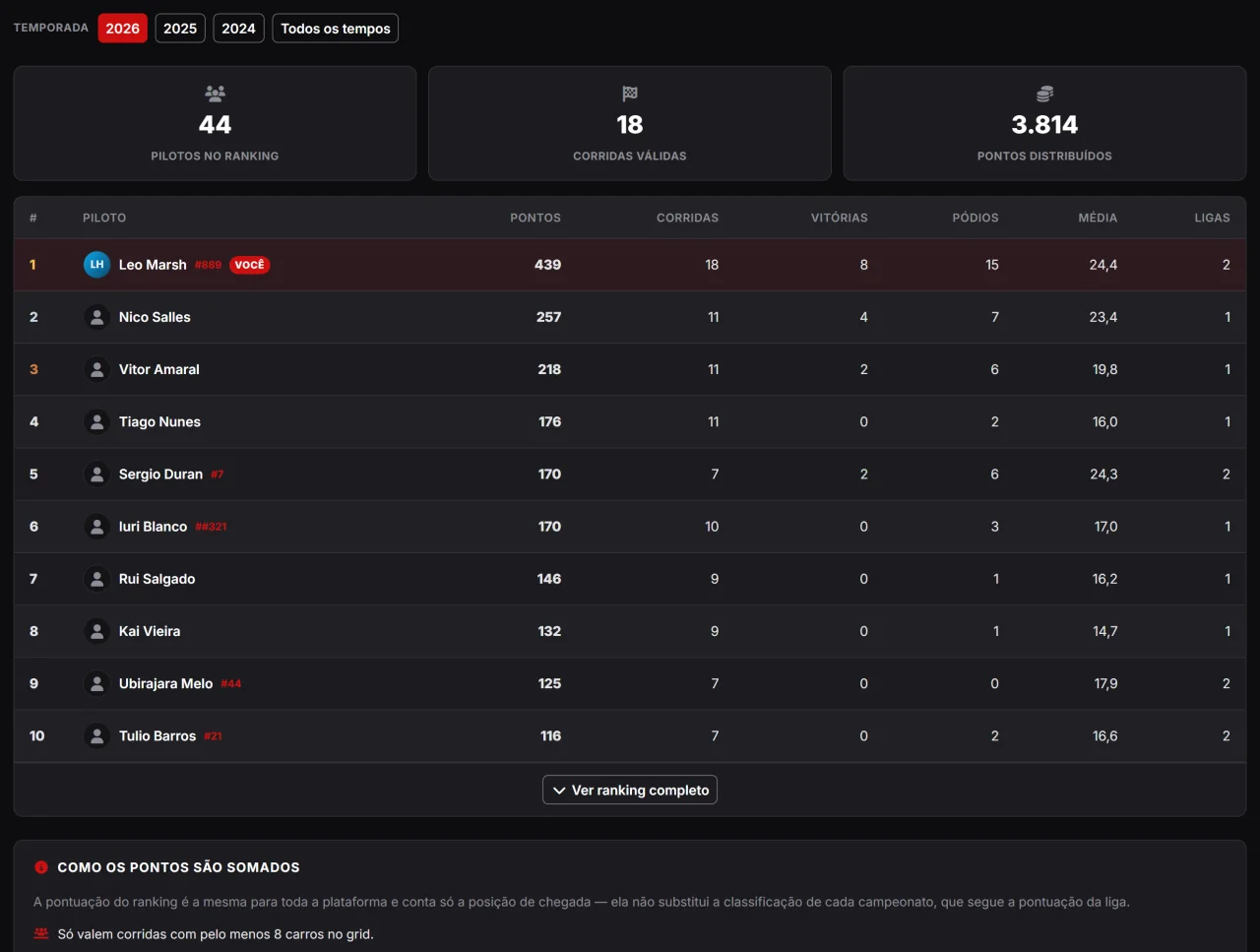
The board of every driver from every league, with a statement of where each point came from. And it is free.
How do you compare a driver in your league with one from the other side of the country? The global ranking answers that: the same yardstick for the whole platform, with a gentle curve down to P20 and participation points, because the goal is to reward whoever finishes the race, not only whoever reaches the podium. A race with a small grid scores nothing, and a full grid earns a bonus per extra car. In your dashboard, the statement shows the open maths, race by race. None of this is a paid feature: ranking and statement are for everyone.
Promote your broadcasts and cover the events you narrate.

If you broadcast races, Racing Schedule puts your channel on the map: its own profile, YouTube integration and a link to the events you cover.

A page with your identity and your schedule.
Build your channel page with logo, description and social links. Fans find you and know what to expect from your coverage.

Your streams get featured when you go live.
With YouTube integration, when you go live your channel is featured across the platform. Upcoming streams and past broadcasts stay organized for your audience too.

Link to events and appear on their page.
Leagues invite channels to broadcast their events. When you accept, your channel appears on the event page — more audience for you and more reach for the race.

Connect YouTube and tie each broadcast to the round it covers.
With your channel connected to YouTube, your broadcasts — live, scheduled or already finished — appear in the channel manager with thumbnail and status. In a few clicks you link each video to its matching round, and it shows up neatly on the event page. Your audience finds the race and the broadcast in the same place.
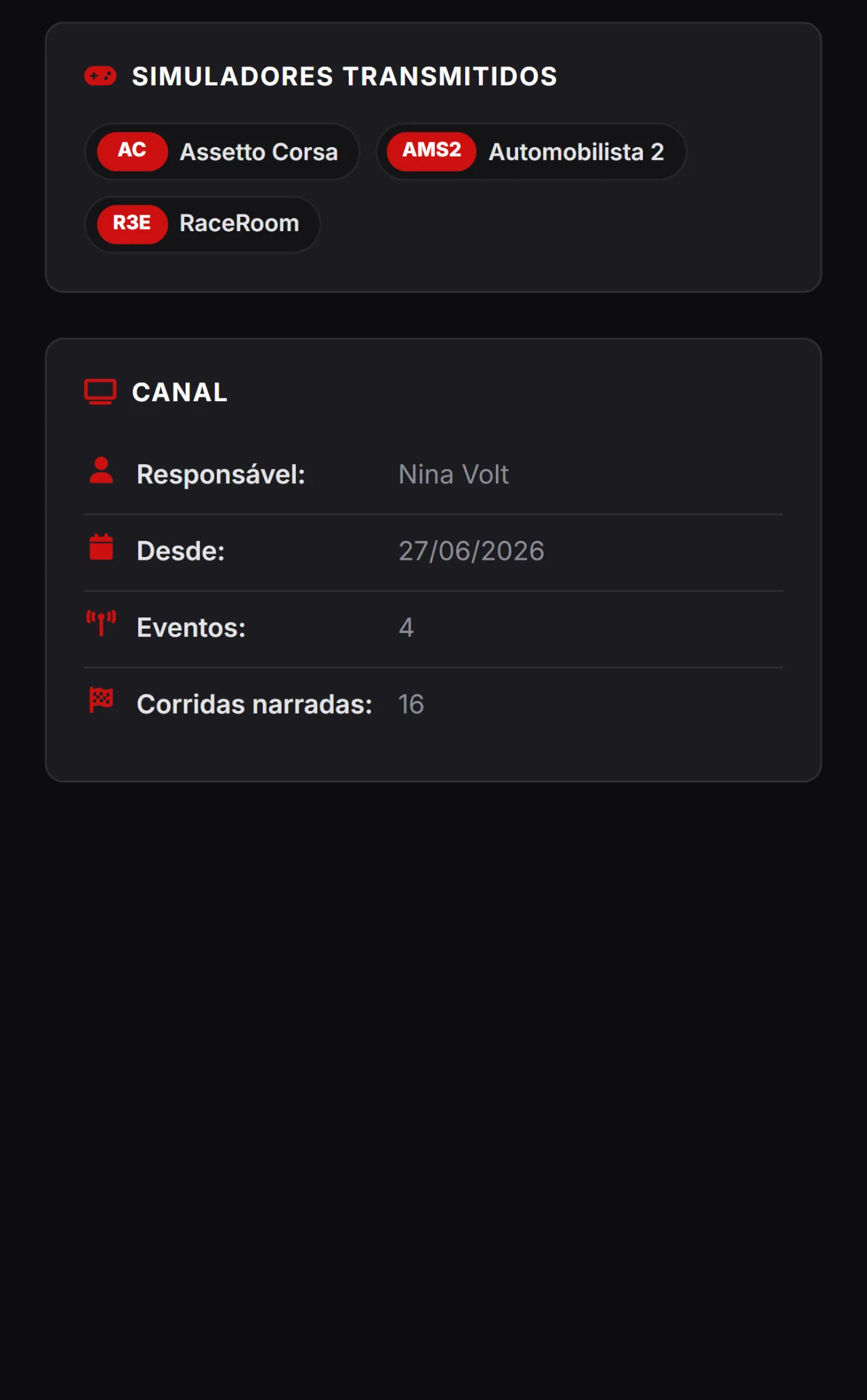
Say which simulators the channel works with and show up for the league looking for exactly that.
The channel ticks the simulators it broadcasts and they become a box at the top of the profile, next to races called and championships covered. It is the first thing an organiser looks at when hunting for someone to call their round — and it costs nothing: it is not a paid-plan feature.
Publish news from your league or channel and show up in the whole community's feed.
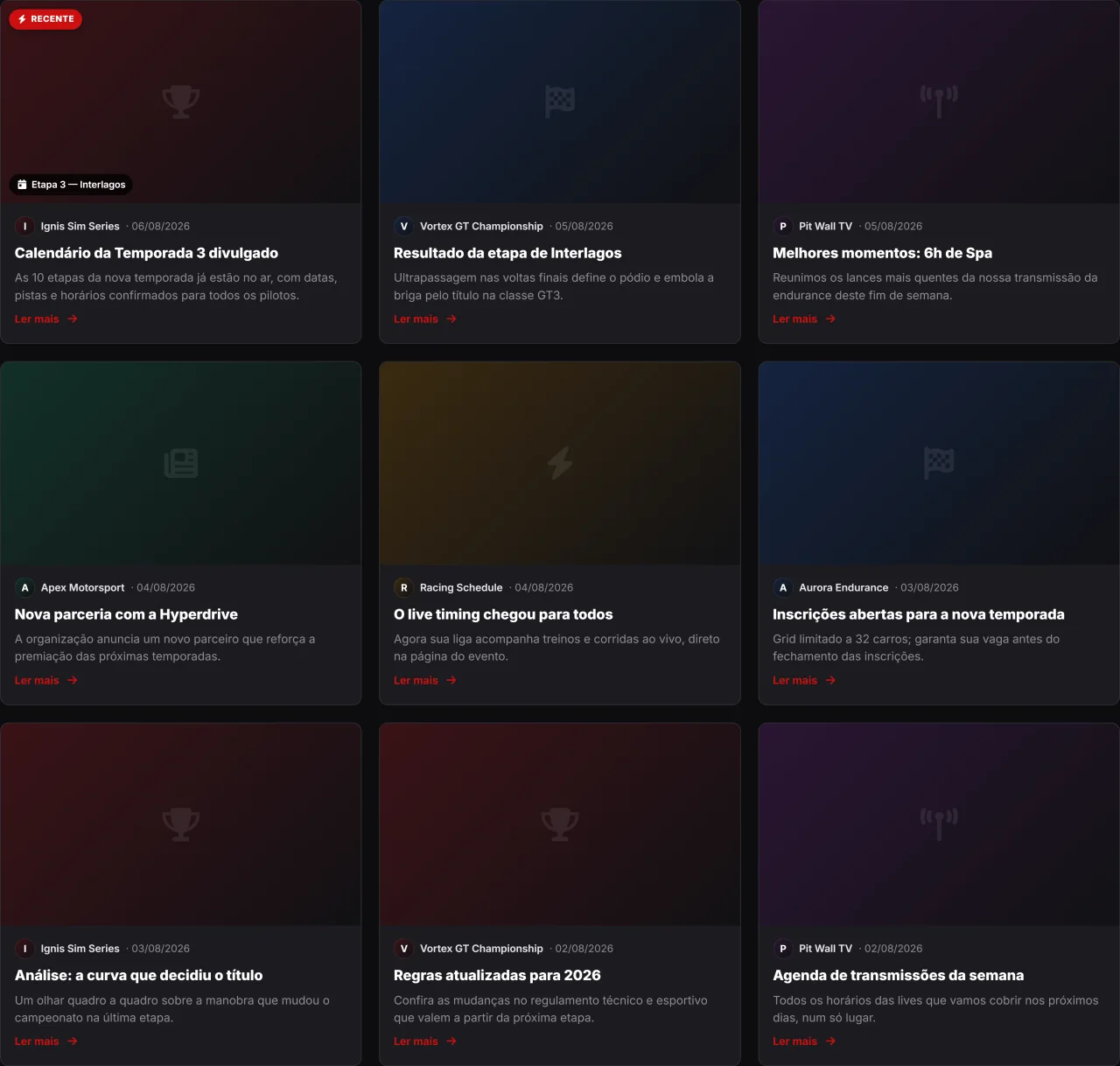
Leagues, channels and the platform itself have a blog. Share a round's result, announce news or cover a broadcast — it all shows up on your profile, on the event page and in the public news feed.
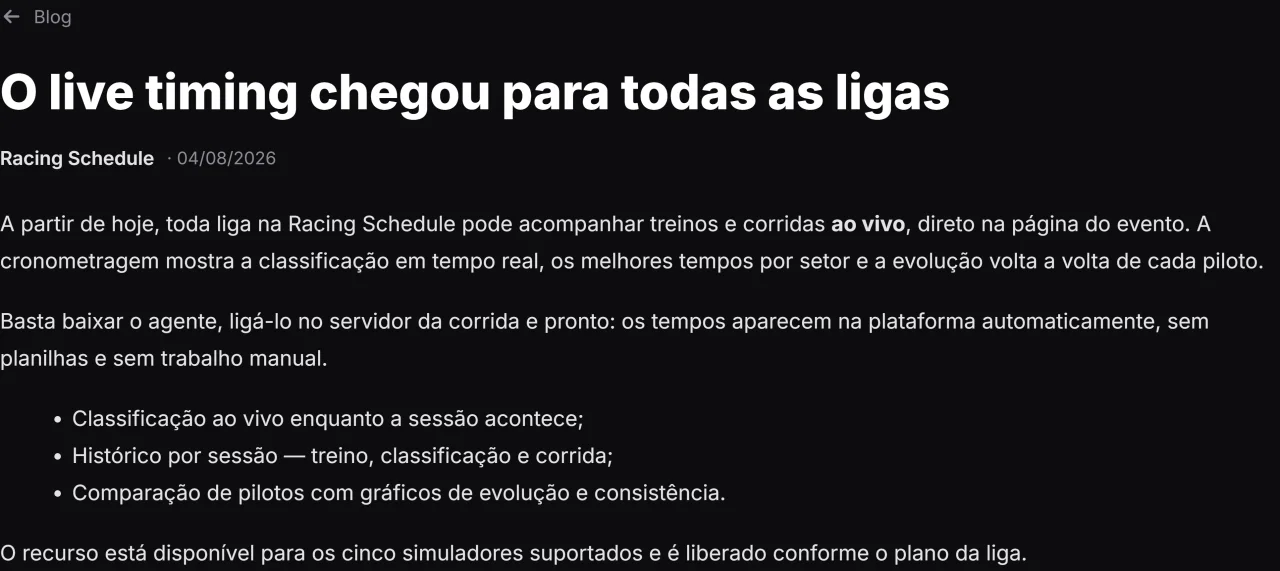
A simple editor, with rich text and a cover image.
Write with a rich text editor, add a cover image and publish. Every post gets its own shareable link, with a clean preview on social media.
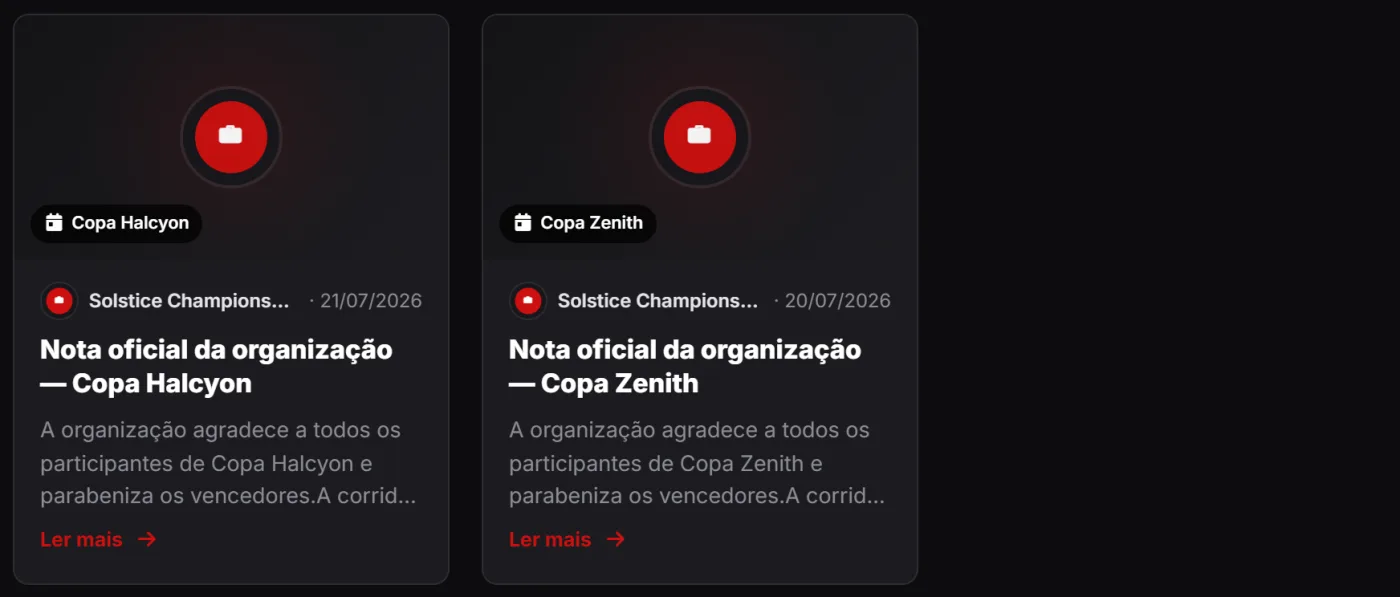
Your news shows up where the audience already is.
A league or channel's posts appear on a News tab in the profile and, when tied to an event, on the event page too. Fewer messages lost in group chats, more people informed.
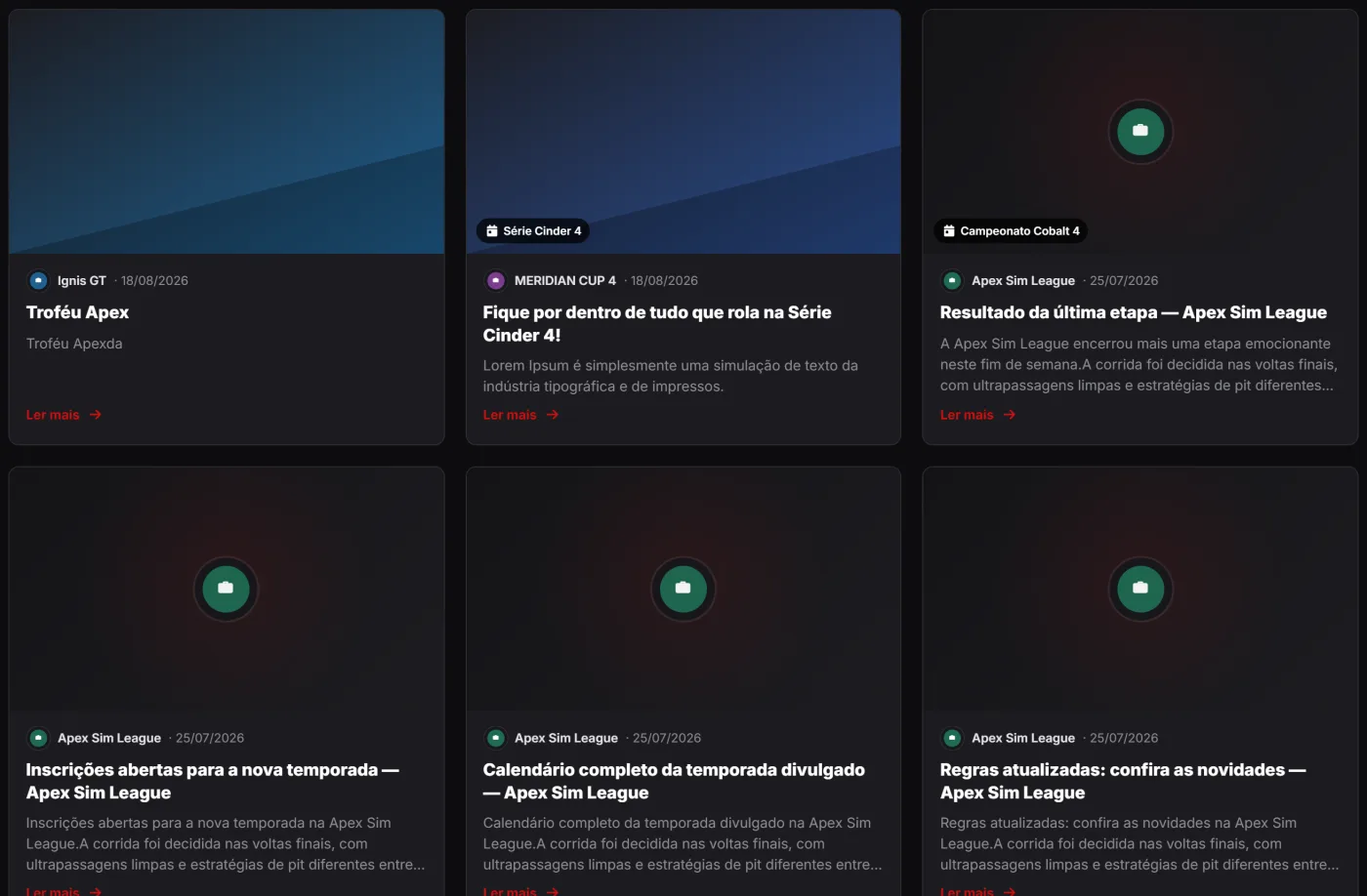
All the sim racing news in one place.
The public feed gathers news from every league and channel, with search and author filtering. It is the front door to keep up with what is happening in the community.
Follow practice and races live, with real-time timing right on the platform.
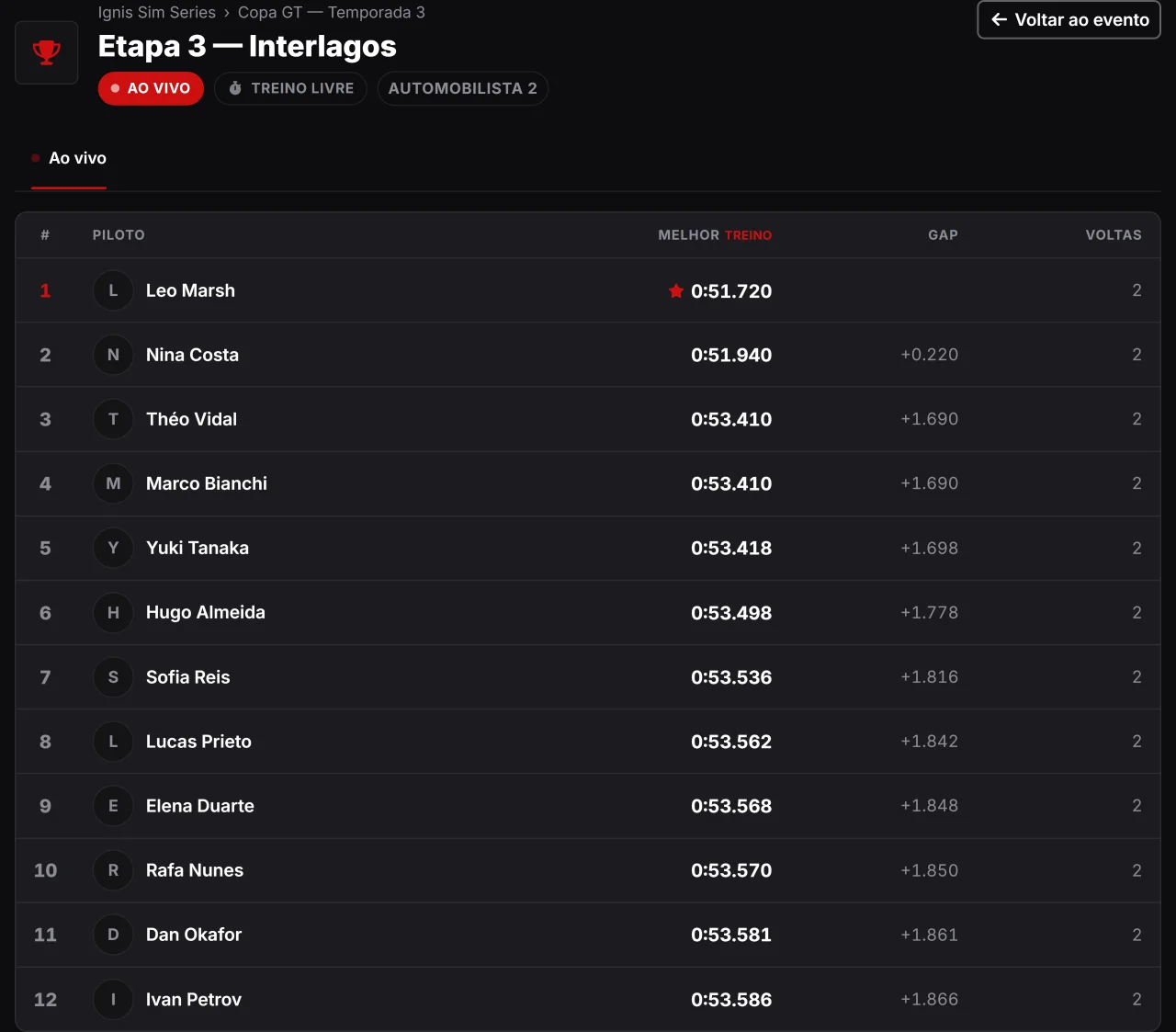
The live timing shows your race standings in real time, right on the event page. You download the agent, run it on the race server and the times appear on their own — no spreadsheets, no manual work.
Positions, best laps and gaps updating on their own.
While the session runs, the screen shows who is on track, each driver's best lap, the gap to the leader and the lap count — all updating in real time, with no page reload.
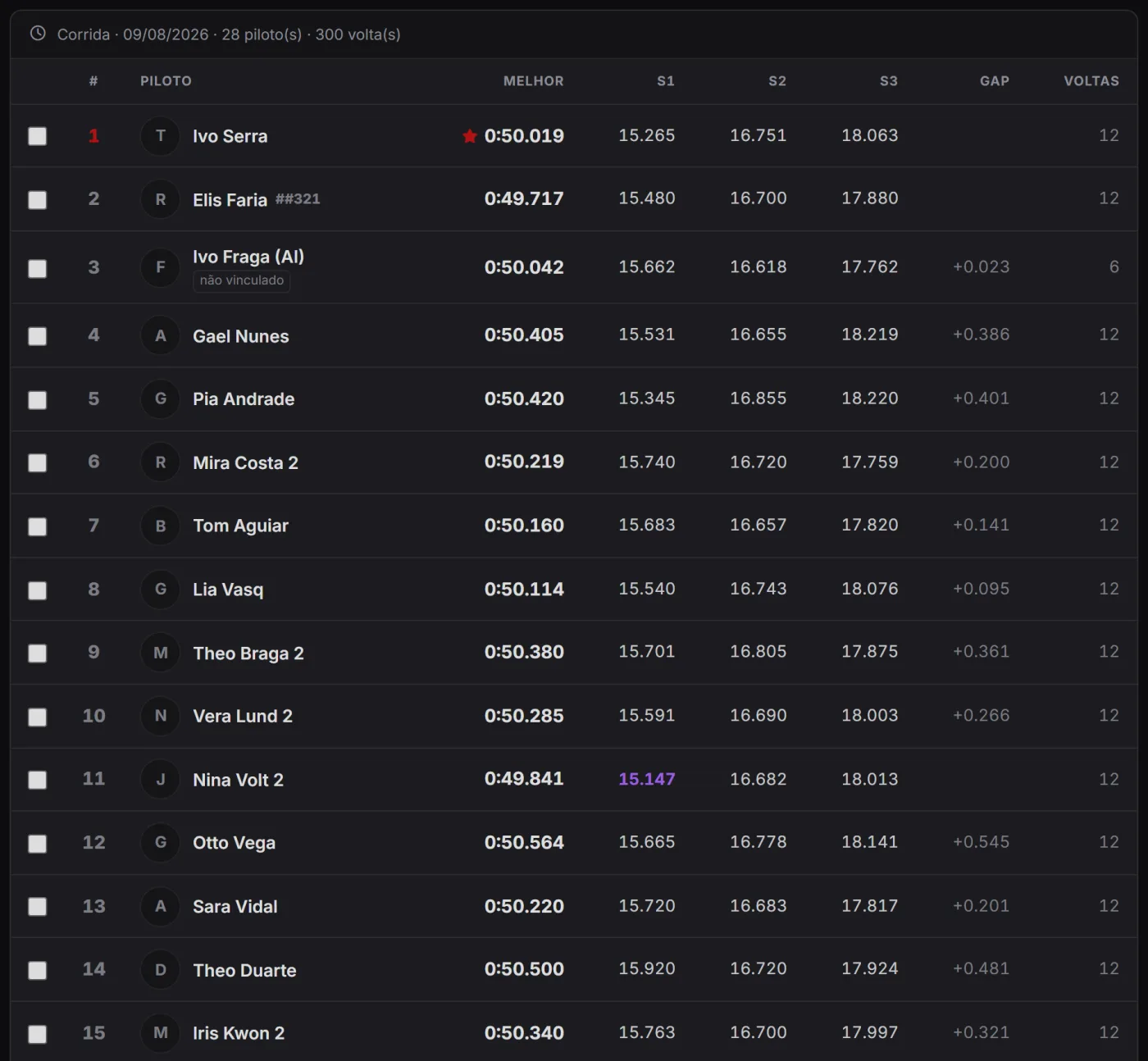
Every session saved, with evolution and consistency charts.
Once the race is over, the history stays organized by session — practice, qualifying and race. You can compare drivers side by side, with sector times and lap-by-lap evolution and consistency charts.
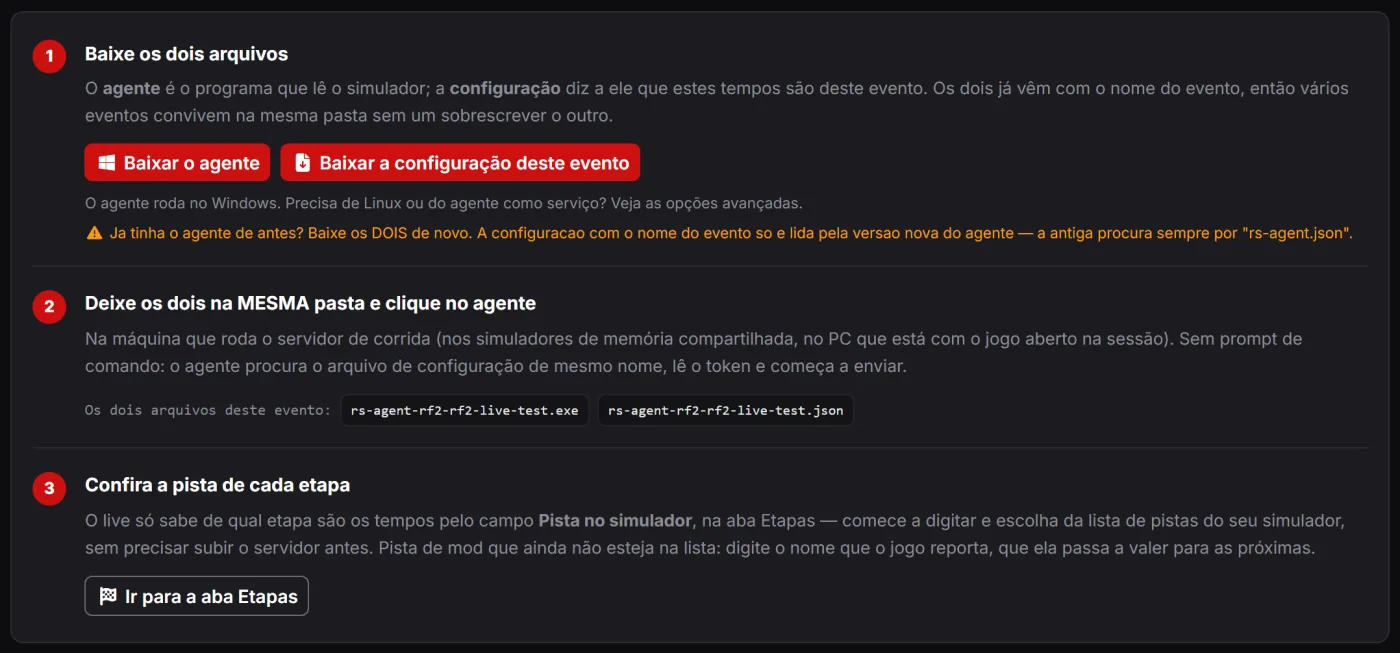
Assetto Corsa, rFactor 2, Automobilista 1 and 2 and RaceRoom.
The live timing works with five simulators: Assetto Corsa, rFactor 2, Automobilista 1, Automobilista 2 and RaceRoom. The feature is unlocked according to the league's plan — check the options on the Plans page.
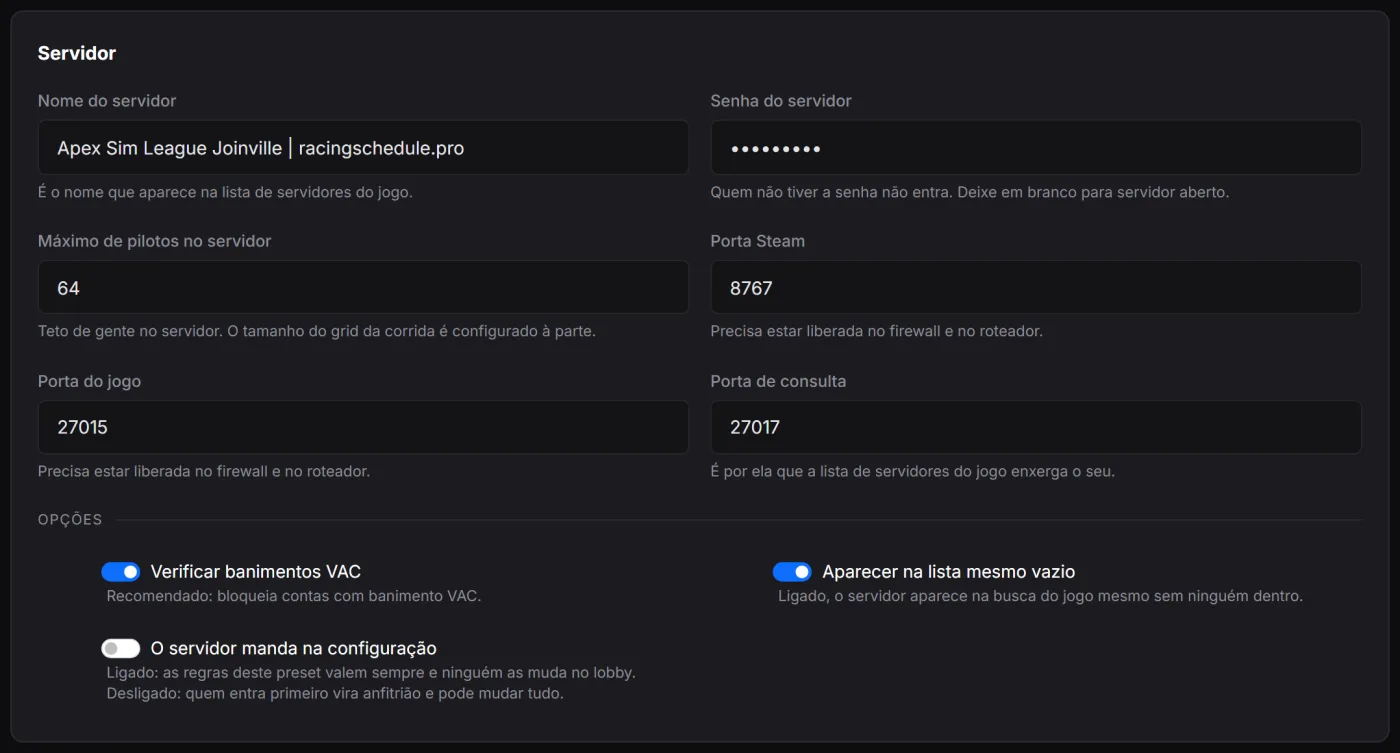
Build your dedicated server configuration in a translated form, save it as a preset and download the finished file to drop into the game folder.
Anyone who runs races knows the scene: opening server.cfg in a text editor the night before and trying to remember what TireWearType : 4 meant. It was ×3 wear — on a scale that runs from 2 to 8 and is out of order. Flags : 102236410 is twenty-five options added up as bits, and RaceLength : 45 can be 45 laps or 45 minutes depending on one of those bits.
In Server Manager that becomes a form, in your language: session lengths, time of day, weather, standing or rolling start, mandatory pit stop, damage, tyre wear, fuel usage, penalties, allowed aids and camera. Every setting with the name people actually use, and a line explaining what it does.
The configuration is saved as a preset for your league: build it once, reuse it all season, duplicate it for the Saturday race variation. When race day comes, download the file and replace it in the server folder. And if you already have a configured server, import your server.cfg: it becomes a preset with nothing to retype, and whatever our screen does not edit is preserved and comes back untouched in the generated file.
For now Server Manager covers Automobilista 2. It is a configuration helper: the server stays yours, on your machine.
Trilingual, free to start and built with security first.

Beyond the per-profile features, a few things matter to everyone.
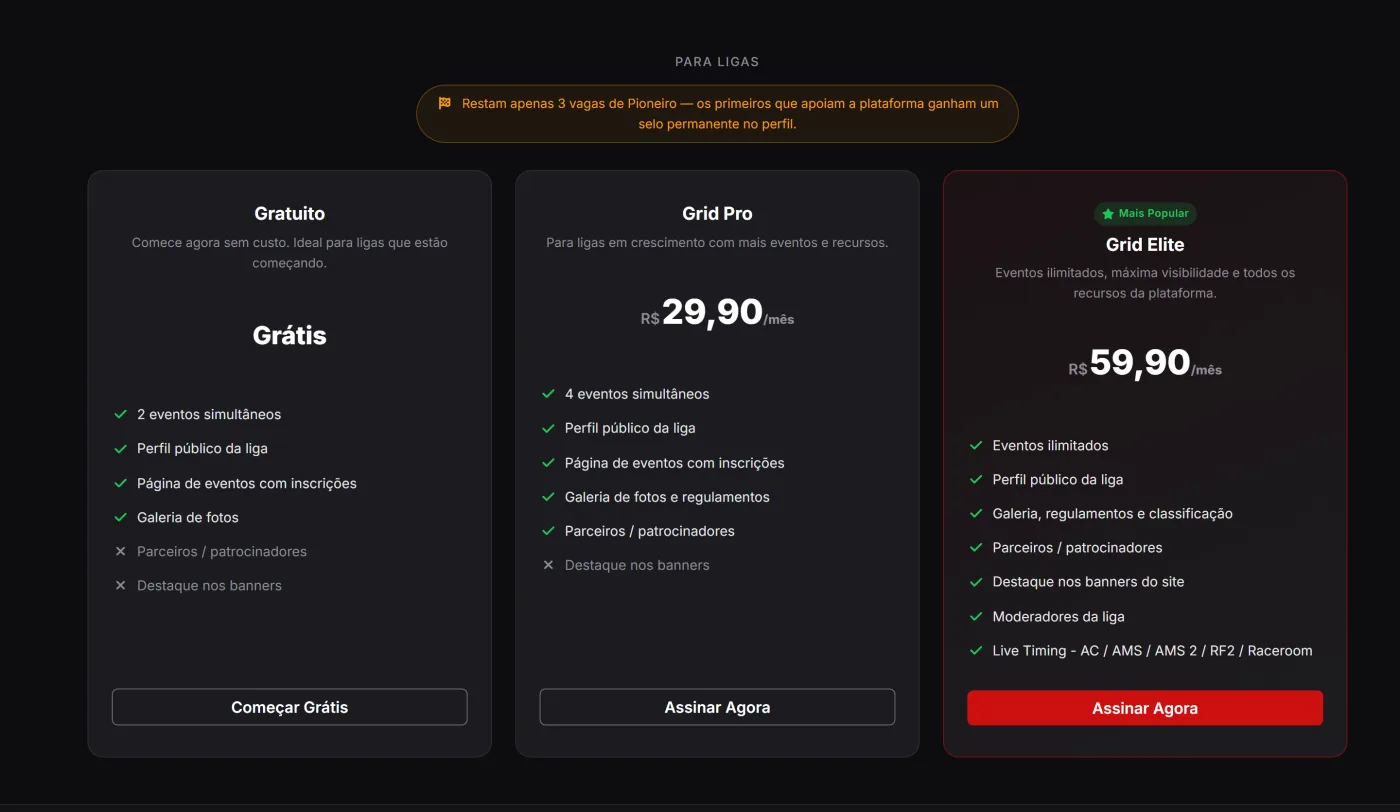
Portuguese, English and Spanish — and a free account.
The whole platform is available in Portuguese, English and Spanish. Create your account for free and start using the essential features right away.

Advanced features for leagues and channels that want more.
As your project grows, plans unlock more features for leagues and channels. Check the options on the Plans page.
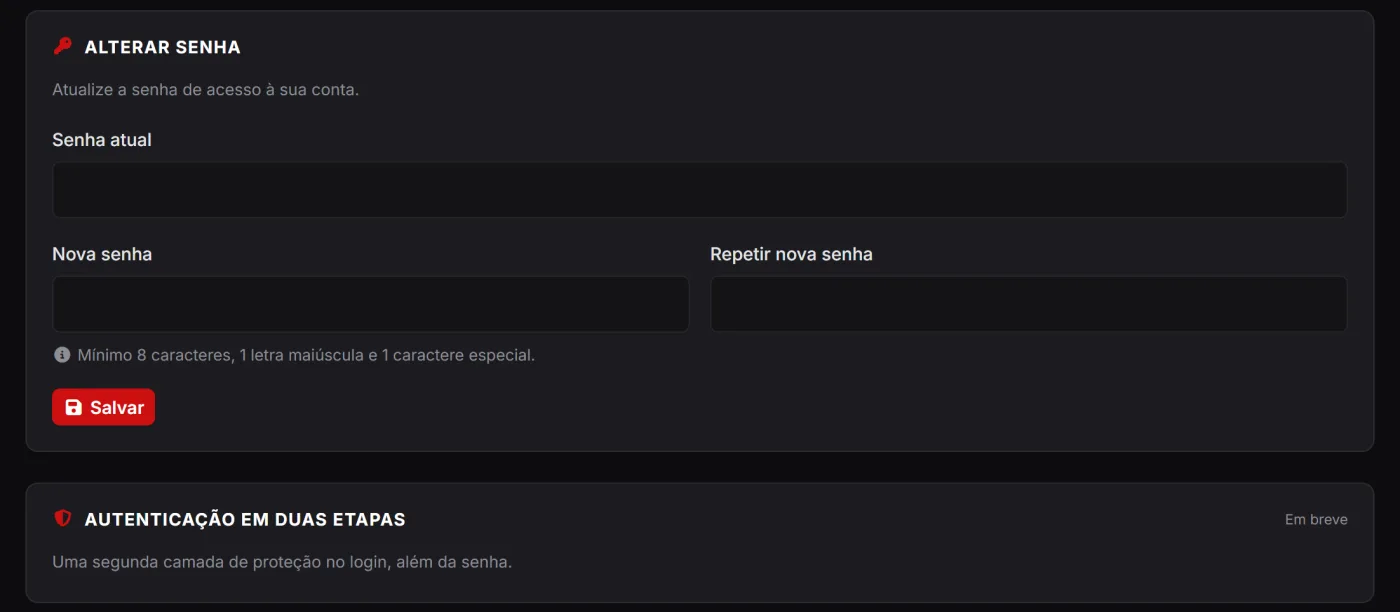
Your data protected, with secure login and good practices.
We protect your account with login safeguards against excessive attempts, abuse protection and respect for your privacy. You can manage and deactivate your account whenever you want.
Create your account for free and start using every feature today.
We use cookies and browsing data to improve your experience. By continuing to browse, you agree to our privacy policy. Learn more.